
Local Tools vs Lovalingo
Side-by-side comparison to help you choose the right product.

Local Tools
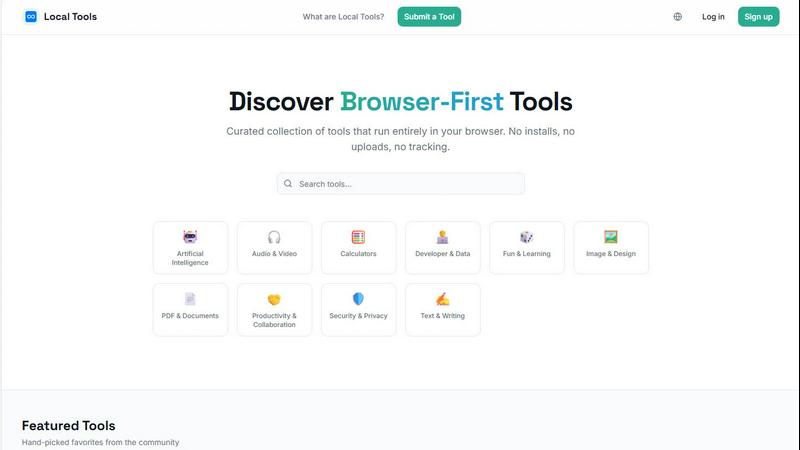
Discover and use thousands of private, browser-based tools that run directly on your device with no installs or tracking.
Last updated: April 4, 2026

Lovalingo
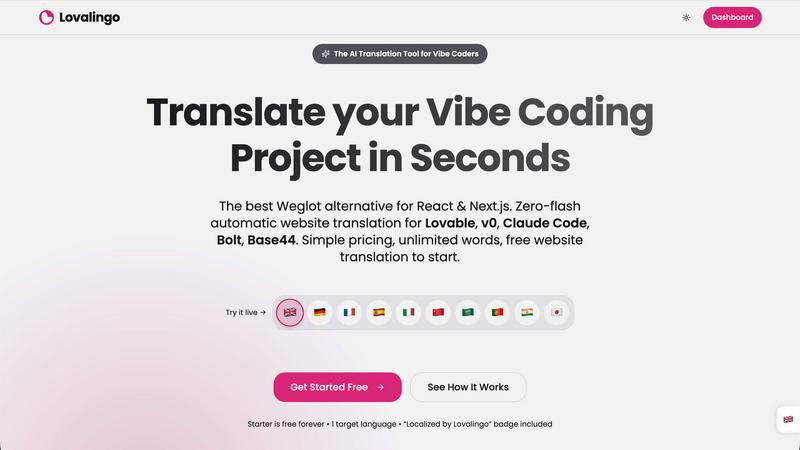
Translate React apps in seconds with Lovalingo's seamless, zero-flash integration and automated SEO features.
Last updated: February 27, 2026
Visual Comparison
Local Tools
Lovalingo
Feature Comparison
Local Tools
Curated, Browser-First Directory
Local Tools is not a random aggregation of links; it is a thoughtfully curated collection of over a thousand utilities that are verified to run client-side in your browser. Each tool is categorized—like Image & Design, Developer & Data, or Security & Privacy—creating a structured, navigable library. This curation ensures quality and functionality, saving you from the repetitive and often low-quality alternatives scattered across the web. It’s your map to the best on-device tools available.
Complete Privacy & On-Device Processing
The core promise of Local Tools is uncompromising privacy. Every tool listed operates locally on your machine. Your files, data, and activities never get uploaded to external servers for processing. This means no risk of third-party data mining, no tracking of your usage patterns, and no reliance on an internet connection for the core functionality. It’s a secure, self-reliant way to work, giving you full control and peace of mind.
Streamlined Discovery & Comparison
Finding the right tool for a specific job can be a journey of endless tabs and bookmarks. Local Tools ends that hunt. By bringing thousands of utilities under one roof and organizing them by category and community ratings, it allows for effortless exploration and side-by-side comparison. You can quickly see user ratings, descriptions, and functionalities to choose the most suitable option without ever leaving the platform.
Community-Driven Curation & Submission
The directory is alive and grows through its community. Users can submit new browser-based tools they discover, contributing to the ever-expanding resource. This community-driven model, combined with featured "hand-picked favorites," ensures the collection stays current, diverse, and rich with high-quality, practical utilities that real people find useful in their daily digital journeys.
Lovalingo
Native SEO
Lovalingo automatically generates multilingual sitemaps, hreflang tags, and meta descriptions, ensuring that your website is indexed globally from day one. This feature eliminates the tedious manual work often associated with SEO in multiple languages, enabling your content to reach a wider audience effortlessly.
Zero-Flash UI
A standout feature of Lovalingo is its zero-flash UI, which distinguishes it from competitors like Weglot. By integrating translation during the React render process, it prevents issues like flickering and layout shifts, providing users with a smooth and stable browsing experience from the moment the page loads.
Vibe-Coding Ready
Lovalingo is fully compatible with various Vibe coding tools, including Lovable, Bolt, and v0. With just one script, your application can instantly scale to support any language, making it an ideal choice for developers looking for quick and effective internationalization solutions.
Zero Maintenance
Say goodbye to managing JSON files and manually updating strings. Lovalingo auto-detects routes and updates content in real time, allowing developers to focus on building features rather than maintaining translation files. This zero-maintenance approach streamlines workflows and enhances development efficiency.
Use Cases
Local Tools
The Designer's Instant Editing Studio
A graphic designer receives a last-minute request to convert a batch of SVG files to WebP and quickly remove a background from a product shot. Instead of launching heavy software or trusting sensitive client assets to an unknown website, they visit Local Tools. Within moments, they find dedicated, browser-based converters and an editor like Photopea—a Photoshop alternative—all running locally. The work is done swiftly, privately, and without any installs, keeping their creative flow uninterrupted.
The Developer's Quick Utility Belt
A developer debugging an API response needs to visualize a complex JSON object. They could write a script or search for a standalone app. Instead, they head to Local Tools, find JSON Crack in the Developer & Data section, and paste their code. The data instantly transforms into an interactive graph right in their browser, aiding debugging. Later, they might use a text diff checker or a code formatter from the same hub, all without context-switching to different sites.
The Student's Secure Research Companion
A student working on a thesis needs to merge several PDF articles, count words across multiple documents, and protect their final submission with a password. Concerned about privacy and unwilling to upload academic work to random online services, they use Local Tools. They find all the necessary PDF utilities that process files directly on their laptop, ensuring their research remains confidential while completing essential formatting tasks efficiently.
The Everyday User's Privacy-Conscious Toolkit
Anyone planning their finances can use a salary calculator; someone formatting a resume can use a bullet point generator; a hobbyist can optimize images for a blog with Squoosh. For these everyday tasks, Local Tools provides a trustworthy, ad-free alternative to sketchy websites. Users accomplish their goals without the overhead of software installation or the unease of data tracking, making digital life simpler and more secure.
Lovalingo
SaaS Founders Scaling Globally
SaaS founders aiming to expand their product offerings to international markets can leverage Lovalingo to automate translations effortlessly. The platform allows them to reach new audiences without the usual burdens of manual i18n, accelerating global growth.
Agencies Building on Lovable
Digital agencies that create applications on Lovable can take advantage of Lovalingo's seamless integration to deliver multilingual projects. This capability not only enhances client satisfaction but also allows agencies to take on more diverse projects in less time.
Developers Frustrated with Manual i18n
Developers tired of the complexities associated with traditional i18n methods can find solace in Lovalingo. By automating translation processes, they can eliminate the hassle of managing multiple files and focus on writing code that matters.
Vibe Coders Looking for Quick Solutions
For Vibe coders, the allure of rapid development is paramount. Lovalingo's one-prompt setup allows them to implement translations within minutes, ensuring they stay ahead in the fast-paced tech landscape while maintaining a high-quality user experience.
Overview
About Local Tools
Imagine a digital workshop where every tool you need is laid out on a clean, organized bench, ready to use instantly without any setup. This is the journey Local Tools invites you on. It's more than just a website; it's a curated hub, a sanctuary for anyone who values speed, privacy, and simplicity in their digital tasks. In a world where our data is constantly in transit, Local Tools offers a different path: a collection of thousands of utilities that run entirely within your browser. No software to install, no files to upload to distant servers, and no hidden trackers monitoring your clicks. Everything happens right on your device, turning your browser into a powerful, self-contained workstation.
Built for the curious and the practical—developers tweaking code, designers perfecting an image, students analyzing data, or professionals managing documents—Local Tools simplifies discovery. Instead of wandering the fragmented web, searching for a trustworthy image converter or a secure PDF editor, you arrive at a single, organized directory. It’s structured by function, from AI and audio editing to text writing and security, making it easy to explore, compare, and find the perfect tool for the moment. It’s about reclaiming your workflow, ensuring your creations and data never leave your side, and uncovering hidden gems you might never have found on your own. Your journey to efficient, private computing starts here.
About Lovalingo
Lovalingo is an innovative AI translation tool specifically designed for developers working with React and Next.js applications. In a world where traditional translation methods often lead to cumbersome manual JSON strings, broken layouts, and SEO complications, Lovalingo emerges as a game-changer. It automates internationalization (i18n) by providing seamless, render-native translations that eliminate the headaches associated with legacy systems. With Lovalingo, developers can focus on building exceptional applications while effortlessly scaling to global markets. The platform is particularly beneficial for SaaS founders, agencies, and developers frustrated with manual i18n processes. Lovalingo not only simplifies the translation process but also enhances the overall user experience with zero-flash user interfaces and native SEO capabilities, making it an essential tool for any Vibe coding project.
Frequently Asked Questions
Local Tools FAQ
How does Local Tools ensure my privacy?
Local Tools is a directory, not a processor. We list tools that are built to run entirely within your web browser. This means when you use a tool like Photopea or a PDF converter, your files and data are processed directly on your computer's hardware. They are never uploaded to our servers or the tool creator's servers (unless the tool itself states otherwise). We prioritize listing tools that adhere to this client-side principle, giving you a privacy-first experience.
Do I need to create an account to use the tools?
No, you do not need an account to browse the Local Tools directory or to use the vast majority of tools listed. The tools themselves are external websites, and most are designed to be used immediately without sign-ups. An account on Local Tools is only needed if you wish to participate in the community by rating tools or submitting new ones to the directory.
Are the tools on Local Tools completely free to use?
Local Tools features a wide variety of utilities, and the pricing model is set by each tool's developer. Many of the tools listed, such as Squoosh, Photopea, and Excalidraw, are free to use. Some may offer premium features or subscriptions. Each tool's listing will direct you to its official website where you can find specific details about its cost, if any.
How can I suggest a new tool to be added to the directory?
We welcome and rely on community contributions! If you've found a fantastic browser-based tool that runs locally and isn't yet in our directory, you can submit it for review. Simply click the "Submit a Tool" link in the website's navigation. Our team will review the submission to ensure it meets our criteria for quality, functionality, and privacy before adding it to the curated collection.
Lovalingo FAQ
How does Lovalingo handle automatic translations?
Lovalingo uses advanced algorithms to automatically translate content in real time, eliminating the need for manual entries or translation files. This ensures that new content is always up to date across all languages.
Is there a limit to the number of languages Lovalingo can support?
Initially, Lovalingo allows users to start with 1-3 languages. However, users can upgrade to the Global plan for unlimited language support, making it suitable for businesses with expansive international reach.
How does Lovalingo ensure page stability during translations?
Unlike other translation tools that manipulate the DOM after the page loads, Lovalingo integrates directly into the React render flow. This prevents flickering and layout shifts, providing a consistent user experience.
Do I need to manage translation files with Lovalingo?
No, Lovalingo eliminates the need for manual management of translation files. Its automatic detection of routes and real-time content updates mean that you can focus on development without the hassle of maintaining strings and files.
Alternatives
Local Tools Alternatives
Local Tools is a unique browser-first directory for utilities that run entirely on your device. It belongs to the category of on-device tool platforms, offering a curated, private, and instant way to access thousands of useful applications without installation or data uploads. People explore alternatives for various reasons. Some may seek different organizational structures, a broader or more niche set of tool categories, or platforms integrated with specific workflows. Others might prioritize community features, different discovery methods, or simply want to compare what else exists in this innovative space. When evaluating other options, consider your core needs. Look for a platform's commitment to privacy and local execution, the depth and quality of its curated tool collection, and how intuitively it helps you discover the right utility for your task. The best choice aligns with your desire for convenience, security, and a streamlined workflow.
Lovalingo Alternatives
Lovalingo is an innovative tool designed to streamline the translation and indexing of React applications. It falls within the SEO category, addressing the complexities of internationalization (i18n) in a way that enhances global reach without the usual headaches associated with traditional translation methods. Users often seek alternatives to Lovalingo for various reasons, including pricing concerns, specific feature requirements, or compatibility needs with different platforms. When considering an alternative, it's essential to evaluate the core functionalities, ease of use, and the level of support offered. Look for solutions that automate translation processes, ensure seamless integration with your technology stack, and provide robust SEO capabilities to maximize your app's visibility in international markets.