
HeyVid vs Learniverse
Side-by-side comparison to help you choose the right product.

HeyVid is your all-in-one AI tool for effortlessly creating high-quality videos and images, transforming ideas into stunning visual content.
Last updated: April 4, 2026

Learniverse
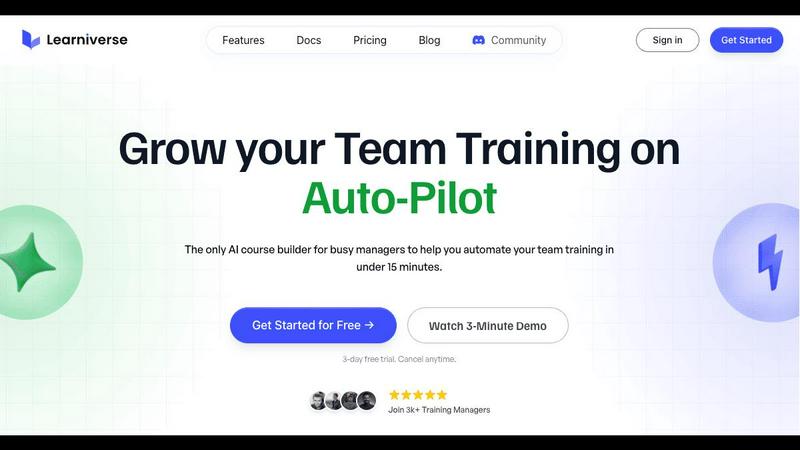
Learniverse transforms your scattered documents into an automated training academy in minutes.
Last updated: February 28, 2026
Visual Comparison
HeyVid

Learniverse
Feature Comparison
HeyVid
Text to Video
The Text to Video feature transforms your written ideas into dynamic visual narratives. Simply input your script, and HeyVid will convert it into an engaging video, complete with visuals, transitions, and effects that resonate with your message. This tool is perfect for content creators looking to quickly generate video content from blog posts, social media updates, or marketing materials.
Image to Video
With the Image to Video functionality, you can bring static visuals to life. Upload your images, and HeyVid will generate a captivating video that animates your pictures with motion graphics and effects. This feature is particularly beneficial for businesses aiming to create promotional videos that highlight products or services in an eye-catching manner.
AI Image Generator
The AI Image Generator allows users to create stunning visuals from textual prompts. By leveraging advanced image models, HeyVid can produce unique artwork tailored to your specifications, whether for social media, presentations, or personal projects. This feature empowers designers and marketers to explore their creativity without the need for extensive graphic design skills.
One-Click AI Video Maker
The One-Click AI Video Maker simplifies the video creation process by enabling users to generate videos with just a single click. Select your preferred models and settings, and let HeyVid handle the rest. This feature is designed for those who want to streamline their content creation workflow while ensuring high-quality output that meets professional standards.
Learniverse
AI-Powered Course Creation
Watch as your static content comes to life. Simply upload your existing PDFs, video recordings, SOPs, or manuals. Learniverse's AI assistant analyzes your material, identifies key concepts, and automatically structures it into interactive, engaging lessons. It can even generate relevant quizzes and assessments to reinforce learning, turning your raw documents into a polished course while you focus on other priorities.
Branded Training Academy Portal
Your training should reflect your company's professionalism and culture. Learniverse allows you to deploy a fully branded learning portal in minutes. Customize it with your company logo, colors, and even your own domain. This creates a cohesive and polished experience for your team, moving beyond generic platforms to a training hub that feels like a natural extension of your brand.
Intelligent Progress & Engagement Tracking
Eliminate the spreadsheet nightmares of manual tracking. Learniverse provides a clear, centralized dashboard where you can see who has completed which courses, identify where learners are getting stuck, and monitor overdue training across teams or the entire company. This data-driven insight into progress, engagement, and assessment results helps you ensure training effectiveness and compliance effortlessly.
Conversational AI Training Assistant
Build and edit courses through natural conversation. Need to add a new module about an updated process? Just describe what you want to your AI assistant. Want to turn a meeting recording into a training lesson? Drop it in and ask the AI to highlight the key points. This feature puts a collaborative partner at your fingertips, handling the heavy lifting of content structuring so you can iterate and improve training at the speed of thought.
Use Cases
HeyVid
Marketing Campaigns
HeyVid is an invaluable asset for digital marketers developing creative campaigns. From social media ads to promotional videos, the platform’s AI capabilities allow marketers to create eye-catching content that captures attention and boosts engagement, leading to higher conversion rates.
Educational Content
Educators can leverage HeyVid to produce interactive tutorials and engaging presentations that enhance the learning experience. By transforming traditional teaching materials into visually appealing videos, educators can better connect with students and convey complex concepts more effectively.
Social Media Content Creation
For content creators and influencers, HeyVid offers a streamlined solution to generate captivating videos and images for social media platforms. Whether it's short-form videos for TikTok or stunning thumbnails for YouTube, the tool helps maintain a consistent and professional visual identity.
Corporate Communications
Businesses can utilize HeyVid for internal and external communications, such as corporate training videos, team updates, and client presentations. The ability to create polished content quickly ensures that companies maintain a strong and professional image in all forms of communication.
Learniverse
Onboarding New Hires
Transform a disjointed, week-long onboarding ordeal into a seamless, self-guided journey. Consolidate all your welcome docs, policy manuals, software tutorials, and cultural primers into a single, engaging academy. New hires can learn at their own pace, with consistent information, while managers save countless hours repeating the same introductory explanations, ensuring every new team member starts on the right foot.
Standardizing Operational Procedures
For teams with complex or frequently updated processes, keeping everyone on the same page is a constant challenge. Learniverse turns your Standard Operating Procedures (SOPs) and workflow documents into interactive, mandatory training modules. This ensures every team member, from veteran to rookie, executes tasks correctly and safely, reducing errors and maintaining quality control across the organization.
Converting Meeting & Workshop Content
Capitalize on the valuable insights shared in all-hands meetings, training workshops, or expert presentations. Simply upload the video recording or transcript into Learniverse. The AI will analyze the content, extract the core lessons, and structure them into a shareable course. This turns ephemeral knowledge into permanent, accessible training assets for those who attended and for future team members.
Compliance & Certification Training
Manage mandatory compliance training without the administrative headache. Easily build courses on safety protocols, industry regulations, or company policies. Use the tracking dashboard to monitor completion rates in real-time and generate reports for audits. Automated reminders ensure no one misses a deadline, protecting your company and giving you peace of mind.
Overview
About HeyVid
HeyVid is a revolutionary AI-driven tool designed for creators, marketers, and businesses looking to produce high-quality videos and images with remarkable ease. With its all-in-one platform, HeyVid allows users to generate stunning multimedia content through various innovative features, including text-to-video, image-to-video, and image-to-image generation. This powerful tool caters to a diverse range of users—from entrepreneurs crafting pitch videos to educators developing engaging course content. The main value proposition of HeyVid lies in its simplicity and speed; users can turn their visions into professional-grade media in just a few clicks. Whether you are a beginner or a seasoned professional, HeyVid's intuitive interface and robust capabilities make it the perfect companion for anyone looking to enhance their creative projects.
About Learniverse
Imagine the collective brainpower of your team—every process, every best practice, every nugget of wisdom that makes your company tick. Now, picture that invaluable knowledge scattered to the digital winds, trapped in a labyrinth of Google Docs, lost Slack threads, and forgotten video recordings. For training managers, team leads, and founders, this chaos isn't just an annoyance; it's a daily battle that drains time, stifles growth, and leaves new hires adrift. Learniverse is the end of that exhausting story. It is your AI-powered training assistant, a platform built for busy teams who need to move fast without sacrificing quality or their sanity. Learniverse understands your journey. It meets you where you are, taking that chaotic pile of existing documents, videos, and ideas and automatically weaving them into a complete, branded, and engaging learning academy in minutes. No design skills required, no complex setup, no weeks of development. This is the zero-effort training platform that transforms you from an administrator drowning in updates into a strategic leader. Your team finally gets the consistent, accessible knowledge they need to succeed, delivered in a way they'll actually use and enjoy, freeing everyone to focus on the work that truly matters.
Frequently Asked Questions
HeyVid FAQ
What types of videos can I create with HeyVid?
HeyVid allows you to create various types of videos, including promotional content, educational tutorials, pitch videos, and social media clips. Its flexibility caters to different needs and formats.
Is HeyVid suitable for beginners?
Absolutely! HeyVid is designed with an intuitive interface that makes it easy for users of all skill levels to create professional-quality videos and images. You do not need any prior editing experience to get started.
Can I customize the videos generated by HeyVid?
Yes, HeyVid provides options for customization. You can select models, aspect ratios, and even add text overlays, music, and effects to personalize your videos according to your brand identity.
What kind of support does HeyVid offer?
HeyVid offers comprehensive support, including tutorials, documentation, and a dedicated help center. Users can access resources to navigate the platform effectively and maximize their creative potential.
Learniverse FAQ
What types of content can I upload to Learniverse?
Learniverse is designed to work with the content you already have. You can directly upload a wide variety of file types including PDF documents, video files (like MP4), presentation decks, and text documents. The platform's AI is built to ingest this material and intelligently transform it into structured learning modules.
Do I need any technical or design skills to use Learniverse?
Absolutely not. Learniverse is built specifically for busy professionals who are not course designers or developers. The platform's core promise is a zero-effort setup. The AI handles the course structure and creation, and the branded academy portal uses simple, intuitive customization tools. You can have a professional training hub live in minutes without writing a line of code.
How does the AI training assistant actually work?
The AI assistant acts as your collaborative partner. You can interact with it conversationally to build and edit courses. For example, you can instruct it to "create a module on our new customer service protocol" or "add a quiz to the end of the safety course." It can also analyze uploaded videos or documents to automatically suggest lesson outlines and key takeaways, doing the heavy lifting for you.
Can I track my team's progress and quiz scores?
Yes, comprehensive tracking is a central feature of Learniverse. The platform provides a clear dashboard where you can see individual and team-wide progress. You can view course completion status, identify modules where learners are struggling, track assessment scores, and monitor overdue training. This eliminates the need for manual spreadsheets and gives you actionable insights into your training program's impact.
Alternatives
HeyVid Alternatives
HeyVid is an all-in-one AI video and image generator designed to streamline the creative process for users, enabling them to produce high-quality visual content quickly and effortlessly. As part of the productivity and management category, HeyVid caters to individuals and businesses looking to enhance their multimedia capabilities without needing extensive technical expertise. However, users often find themselves on the hunt for alternatives to HeyVid due to various reasons, such as pricing, specific features, or compatibility with certain platforms. When exploring alternatives, it’s essential to consider factors such as ease of use, the quality of output, available features that align with your creative needs, and the overall cost-effectiveness of the solution. A thoughtful evaluation of these aspects can help you find the right fit for your video and image generation needs.
Learniverse Alternatives
Learniverse is an AI-powered training platform that transforms your team's scattered documents, videos, and notes into a structured, branded learning academy in minutes. It belongs to the category of modern productivity and training management tools designed to automate the heavy lifting of course creation. People often explore alternatives for various reasons. Perhaps they need a solution that fits a very specific budget, requires deep integration with other software, or offers a particular feature set that their unique workflow demands. The search for the right tool is a personal journey to find a platform that aligns perfectly with their team's pace and needs. When evaluating options, consider what truly matters for your team's learning journey. Look for a tool that respects your existing content, scales with your growth, and delivers an engaging experience that your team will actually use. The goal is to find a partner that turns the administrative burden of training into a seamless part of your success.