
Free Youtube Transcript Generator vs Hush Touch | Voice-to-Text for MacOS
Side-by-side comparison to help you choose the right product.

Free Youtube Transcript Generator
Unlock every video's story by instantly generating its free, accurate transcript.

Hush Touch | Voice-to-Text for MacOS
Transform your Mac into a smart dictation tool that learns your words and works offline for just $20.
Last updated: February 27, 2026
Visual Comparison
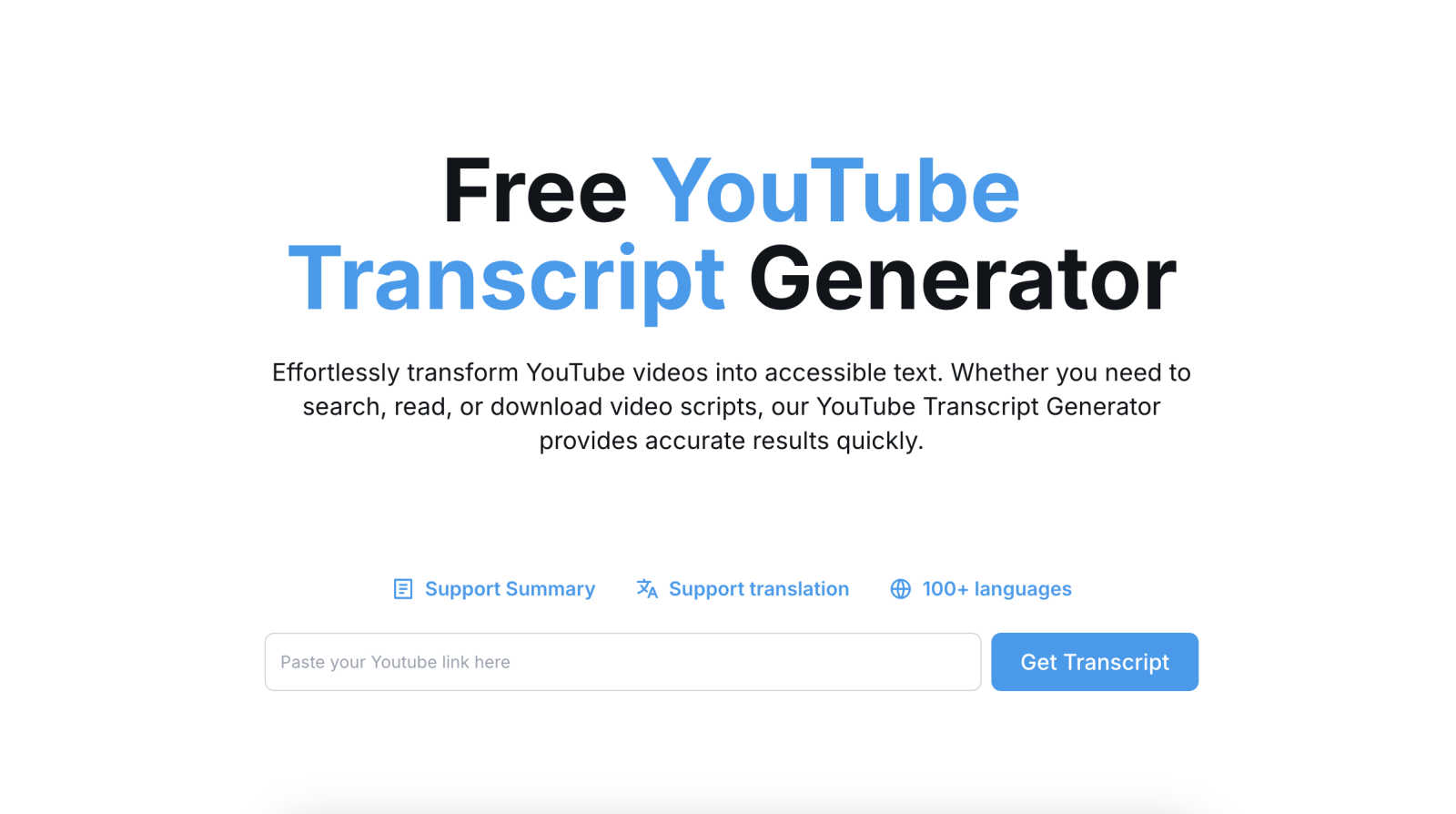
Free Youtube Transcript Generator
Hush Touch | Voice-to-Text for MacOS

Feature Comparison
Free Youtube Transcript Generator
Instant, Accurate Transcription
With a simple, intuitive interface, your journey from video to text takes mere seconds. Just paste the YouTube URL and click "Get Transcript." Behind the scenes, advanced algorithms work to deliver a highly accurate written account of the spoken content, capturing the essence of the video with precision. This speed and reliability mean you spend less time waiting and more time engaging with the actual content.
Multi-Format Export and Download
Once your transcript is generated, the real flexibility begins. The tool empowers you to take your text anywhere by supporting downloads in versatile formats. Whether you need a simple TXT file for quick reference, a formatted DOCX for editing, a polished PDF for sharing, or structured data in an Excel sheet for analysis, you have the freedom to choose the perfect vessel for your newly acquired knowledge.
Global Translation in 100+ Languages
This feature shatters language barriers, opening up a world of content previously out of reach. With support for translation into over 100 languages, a tutorial in Korean can become a guide in Spanish, or a news report in Arabic can be understood in French. It’s more than translation; it's an invitation to a global classroom, fostering understanding and making video content universally accessible.
Integrated Summarization Tool
Facing a lengthy seminar or a multi-hour interview? The built-in summarization capability acts as your personal editor, distilling hours of dialogue into concise, key takeaways. This allows you to quickly grasp core concepts, identify main arguments, and extract the most valuable insights without manually sifting through every single word, streamlining your research and learning process dramatically.
Hush Touch | Voice-to-Text for MacOS
Dual-Engine Recognition
Hush Touch utilizes a unique dual-engine recognition system that combines the capabilities of DictationTranscriber for natural flow and punctuation with SFSpeechRecognizer for custom vocabulary enhancement. This blend of technologies ensures high accuracy in transcription, accommodating various speaking styles and technical jargon.
Custom Vocabulary Learning
The app comes equipped with a custom vocabulary feature that allows users to add up to 500 terms, including technical jargon, medical terms, and brand names. Hush Touch learns from corrections made by the user, continually improving its recognition accuracy and adapting to the user's unique language preferences.
Smart Text Processing
With intelligent text processing capabilities, Hush Touch removes filler words and auto-corrects common mistakes in real-time. It can also format numbered lists and recognize voice snippets for frequently used phrases, enhancing the dictation experience and ensuring polished, professional output.
Context Modes & Hands-Free Features
Hush Touch includes various context modes, such as General, Email, Code, and Notes, allowing users to switch seamlessly based on their dictation needs. The app supports hands-free operation; users can activate dictation using Siri and automatically insert text after a brief pause, making it a truly hands-free solution.
Use Cases
Free Youtube Transcript Generator
Academic Research and Study Aid
For students and researchers, this tool is a game-changer. It allows for the accurate citation of video sources, the creation of detailed study notes from lecture recordings, and the ability to quickly search a transcript for specific terms or concepts. This transforms passive video watching into an active, text-based research session, enhancing comprehension and retention.
Content Repurposing for Creators
Bloggers, social media managers, and video creators can breathe new life into existing content. A detailed YouTube video transcript can be effortlessly repurposed into blog articles, newsletter content, social media posts, or the script for a new video. This maximizes the value of a single piece of content, saves immense time on writing, and helps reach audiences across different platforms.
Accessibility and Inclusive Learning
This use case is at the heart of the tool's mission. By generating accurate transcripts, it makes video content accessible to individuals who are deaf or hard of hearing. Furthermore, it supports diverse learning styles by providing a text-based resource for those who comprehend better through reading, creating a more inclusive and equitable learning environment for everyone.
Professional Analysis and Note-Taking
Business professionals, journalists, and analysts can use transcripts to meticulously dissect interviews, earnings calls, presentations, and market analyses. Having a searchable text document allows for precise quoting, thorough analysis of spoken sentiment, and the efficient creation of meeting minutes or reports, ensuring no critical detail is missed.
Hush Touch | Voice-to-Text for MacOS
Drafting Emails
Hush Touch makes composing emails effortless. Users can dictate their messages naturally, and with features like auto-punctuation and filler word removal, the output is polished and professional, allowing for quick and effective communication.
Taking Notes
For students and professionals alike, Hush Touch is an invaluable tool for taking notes during lectures or meetings. The app's ability to recognize context-specific vocabulary and format lists ensures that notes are well-organized and easy to follow.
Writing Content
Freelance writers and content creators can leverage Hush Touch to draft articles, blog posts, and reports hands-free. The adaptive learning feature helps the app recognize specific terminology related to various niches, streamlining the writing process.
Coding and Technical Documentation
Developers can benefit from Hush Touch by dictating code and technical documentation. The app's dual-engine recognition system is adept at handling programming language terms, allowing for efficient and accurate transcription of complex instructions.
Overview
About Free Youtube Transcript Generator
Imagine you've just watched a powerful lecture, a captivating documentary, or a detailed tutorial on YouTube. The ideas are brilliant, but they're fleeting, trapped in the audio stream. You wish you could hold the words, study them, and build upon them. This is the journey the Free YouTube Transcript Generator begins. It is your key to unlocking the written word from any YouTube video, transforming ephemeral speech into permanent, actionable text. Designed for the curious mind, the diligent student, the efficient content creator, and the global learner, this tool democratizes knowledge. It asks for nothing but a video link and, in return, grants you the power to read, dissect, and own the content. Its core promise is one of liberation and accessibility: freeing valuable information from its video confines and making it available for reading, translation, summarization, and download in multiple formats. This isn't just about getting subtitles; it's about starting a new chapter in your research, learning, or creative process with a perfect transcript as your foundation.
About Hush Touch | Voice-to-Text for MacOS
Hush Touch is a revolutionary voice-to-text application designed specifically for macOS that transforms how users approach dictation. With an emphasis on speed, natural language processing, and privacy, Hush Touch enables users to dictate their thoughts seamlessly while maintaining full control of their data. The app operates entirely on-device, ensuring that your voice recordings and transcriptions remain private and secure, without reliance on cloud services. This innovative tool combines two advanced Apple transcription engines with an intelligent final processing pass, yielding cleaner and more accurate text output. Ideal for professionals, students, and anyone who values efficiency in their writing workflow, Hush Touch empowers users to draft emails, notes, and documents hands-free with minimal setup. At a one-time purchase of just $20, Hush Touch offers a lifetime license, making it an affordable and indispensable tool for enhancing productivity.
Frequently Asked Questions
Free Youtube Transcript Generator FAQ
Is the Free YouTube Transcript Generator really free to use?
Yes, absolutely. The core service of generating, viewing, copying, and downloading transcripts from YouTube videos is completely free. There are no hidden fees, subscription plans, or usage limits for these fundamental features, making it a truly accessible tool for all users.
How accurate are the generated transcripts?
The tool leverages advanced speech recognition technology to provide highly accurate transcripts, especially for videos with clear audio and speech. Accuracy can be influenced by factors like background noise, strong accents, or technical jargon. For the best results, videos with clear dialogue and available auto-generated captions on YouTube typically yield the most precise transcripts.
Can I translate a transcript into any language?
The Free YouTube Transcript Generator supports translation into over 100 different languages. After generating your transcript, you can select your desired target language from a comprehensive list. The tool will then provide a translated version of the text, allowing you to understand content from all over the world.
What can I do with the transcript once I have it?
Your options are extensive. You can read it online, copy the text to paste elsewhere, use the built-in tool to create a summary, translate it into another language, or download it for offline use in your preferred format (TXT, DOCX, PDF, or Excel). This makes the transcript a versatile asset for study, content creation, research, or archival purposes.
Hush Touch | Voice-to-Text for MacOS FAQ
How does Hush Touch ensure my privacy?
Hush Touch operates entirely on-device, meaning all voice processing and transcription happen locally on your Mac. There is no data collection or cloud dependency, ensuring your voice remains confidential.
Can I customize the vocabulary in Hush Touch?
Yes, Hush Touch allows users to add up to 500 custom terms to its vocabulary. The app learns from corrections and adapts over time, improving its ability to recognize specialized terminology.
Is Hush Touch suitable for hands-free operation?
Absolutely! Hush Touch supports hands-free dictation via Siri activation. Users can dictate messages and commands without needing to touch their device, making it incredibly versatile for multitasking.
What is the pricing model for Hush Touch?
Hush Touch is available for a one-time purchase of $20, providing users with a lifetime license. This model eliminates subscription fees, making it an economical choice for anyone in need of reliable voice-to-text software.