
Filator vs NanoBanana 2
Side-by-side comparison to help you choose the right product.
Filator
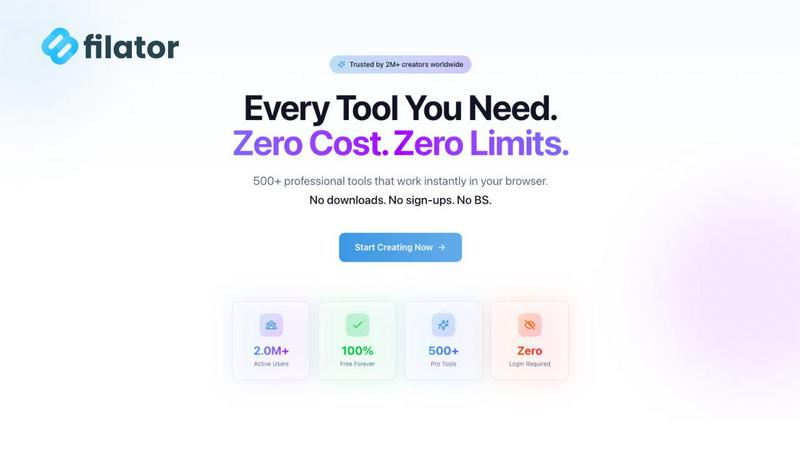
Filator is your one-stop platform to create, convert, and automate tasks instantly without ever needing to sign up.
Last updated: March 1, 2026

NanoBanana 2
Unleash your creativity with NanoBanana 2, the advanced AI tool for effortless photo editing and professional-quality enhancements.
Last updated: March 18, 2026
Visual Comparison
Filator
NanoBanana 2

Feature Comparison
Filator
Zero-Friction, Instant Access
The journey begins the moment you land on a tool. There are no gates to unlock, no forms to fill. You simply open the tool you need and start working. This commitment to instant access means no mandatory signups, no email verifications, and no waiting for account approvals. Your workflow remains uninterrupted, allowing you to move from idea to execution in seconds, not minutes. It's productivity on your terms, with respect for your time as the guiding principle.
Privacy-First, Client-Side Processing
In a world where data is often the price of entry, Filator charts a different course. Your files and data are processed directly within your browser, never touching external servers without your explicit consent. This client-side processing ensures your sensitive documents, creative assets, and personal information remain under your control. It's a foundational promise that transforms Filator from a mere tool into a trusted partner for professionals who value confidentiality and security.
Vast Library of 500+ Professional Tools
Your journey through any project is supported by an ever-expanding arsenal. Filator consolidates over 500 specialized utilities into one cohesive platform. From AI-powered writing assistants and advanced PDF editors to image converters, social media mockup generators, and developer utilities, every tool is built to deliver professional-grade output. This eliminates the endless tab-hopping across different websites, creating a single, powerful command center for all your digital tasks.
AI-Powered Intelligent Assistance
Filator integrates smart AI capabilities to elevate your work. Tools understand context, generate content, rewrite text, create images from descriptions, and even allow you to chat with your documents or webpages. This intelligent layer acts as a force multiplier, handling complex or creative tasks in seconds and providing insights that would take hours to compile manually. It's like having a skilled assistant embedded within your workflow, ready to help when you need a creative spark or a tedious task automated.
NanoBanana 2
Smart Auto-Enhancement
The Smart Auto-Enhancement feature intelligently analyzes each image, applying optimal enhancements automatically. This ensures that every photo receives tailored adjustments, saving you time and effort while achieving stunning results.
Advanced Color Correction
With advanced color correction capabilities powered by deep learning algorithms, NanoBanana 2 allows users to achieve professional-grade color grading and correction. This feature ensures that colors are vibrant and true-to-life, enhancing the overall visual appeal of your images.
Noise Reduction AI
NanoBanana 2's Noise Reduction AI effectively eliminates unwanted image noise while preserving fine details. This technology allows for cleaner and sharper images, particularly in low-light conditions, ensuring that your photos maintain clarity and depth.
Batch Processing
The batch processing capability of NanoBanana 2 enables users to edit multiple images simultaneously. This feature is particularly useful for content creators and photographers who need to maintain consistency across a large number of photos, significantly speeding up their workflow.
Use Cases
Filator
The Freelancer's Project Sprint
A graphic designer receives last-minute client changes: a PDF needs merging, images require resizing and background removal, and social media mockups must be generated for approval. Instead of navigating five different websites and creating accounts, the freelancer opens Filator. In one tab, they complete the entire project sprint using the dedicated PDF, image, and social media tools, delivering professional results faster and impressing the client with their swift turnaround.
The Content Creator's Production Line
A blogger and video creator is crafting a new piece of content. They use the AI Essay Writer to draft a structured outline, then the AI YouTube Summarizer to get key points from research videos. They generate a custom QR code for their newsletter and create a compelling thumbnail with the image tools. Filator becomes their content assembly line, where each specialized tool plays a part in transforming a raw idea into a polished, publish-ready asset without breaking creative flow.
The Developer's Daily Utility Belt
A developer is debugging an application, working with a messy API response, and needs to generate secure passwords for a new environment. They jump into Filator to use the JSON Formatter to beautify and validate the code, then the Password Generator to create strong credentials. These quick, frictionless tasks, handled alongside their main coding environment, keep them in the zone and solve practical problems instantly, proving that the best tools are the ones that simply work when you need them.
The Student's Research Companion
A student is compiling research for a paper. They have multiple PDF journal articles and need to extract key information. Using Filator, they can split PDFs to isolate relevant chapters, convert pages to images for note-taking, and even use the "AI Chat with Files" tool to ask questions directly to the document content for quick summarization. This turns a daunting pile of reading into an interactive, manageable research session, all while ensuring their academic materials stay private on their own device.
NanoBanana 2
Professional Photography
Professional photographers can leverage NanoBanana 2 to enhance their portfolios with high-quality edits. Its intelligent retouching and advanced color correction help create stunning images that captivate audiences and elevate their work.
Social Media Content Creation
Content creators can utilize NanoBanana 2 to produce eye-catching visuals for social media platforms. The one-click processing feature allows for quick edits, enabling creators to maintain a consistent and appealing aesthetic across their feeds.
E-Commerce Product Photography
E-commerce businesses can benefit from NanoBanana 2 by enhancing product images to attract potential customers. The noise reduction and color correction features ensure that products look their best, ultimately driving sales and improving customer satisfaction.
Marketing and Advertising
Marketing teams can use NanoBanana 2 to refine images for campaigns and advertisements. With its batch processing and smart auto-enhancement, marketers can quickly prepare visuals that grab attention and effectively convey their brand message.
Overview
About Filator
Imagine a digital workspace where your workflow isn't interrupted by signup walls, subscription pop-ups, or the nagging worry about where your data goes. This is the journey Filator invites you on. Born from a developer's frustration with clunky, privacy-invasive online tools, Filator is a comprehensive platform of over 500 utilities designed to be your silent, powerful partner in productivity. It's the professional's sanctuary for getting things done, serving a global community of over 2 million developers, designers, marketers, and creators across 150 countries. The core promise is simple: zero friction, maximum output. Every tool, from AI-powered content generators and intricate PDF processors to simple text utilities and QR code creators, works instantly in your browser. Your data stays on your device, your time is respected, and the results are consistently professional-grade. Filator isn't just a collection of tools; it's a streamlined path to finishing your work faster, without ever having to switch tabs or compromise your principles. It's the story of work, reimagined for the modern creator.
About NanoBanana 2
NanoBanana 2 is the latest evolution in AI-driven image editing, building upon the foundations of the original NanoBanana model. Designed for photographers, designers, and content creators alike, this advanced tool provides unparalleled capabilities in photo enhancement and intelligent retouching. With its powerful algorithms, NanoBanana 2 not only improves image quality but also streamlines the editing process, allowing users to achieve professional-grade results with ease. The platform offers a user-friendly interface and smart features that cater to all skill levels, making it an invaluable asset for anyone looking to elevate their visual content. Whether you are enhancing portraits, correcting colors, or processing images in bulk, NanoBanana 2 promises to deliver efficiency and stunning outcomes every time. Its commitment to quality and innovation has garnered the trust of over 10,000 creators, ensuring that your images stand out in a crowded digital landscape.
Frequently Asked Questions
Filator FAQ
Is Filator really free to use?
Yes, the core principle of Filator is providing instant, free access to a vast collection of over 50 tools without any signup required. You can compress PDFs, convert images, generate text, and use many other utilities completely free. For extended use of advanced AI features, higher volumes, or premium capabilities like dynamic QR codes, Filator offers transparent, affordable subscription plans that unlock even more power while maintaining the same frictionless experience.
How does Filator protect my privacy?
Filator is built with a privacy-first architecture. The vast majority of tools, especially file processors for PDFs and images, run entirely within your web browser (client-side). This means your files are never uploaded to our servers; they are processed on your own computer. For AI tools that require server processing, data handling is transparent, and we are committed to not misusing your information. You remain in control of your data throughout your journey on the platform.
What are AI credits?
AI credits are the currency used for Filator's advanced AI-powered tools, such as the AI Image Generator, AI Essay Writer, and AI Chat. Each task you perform with these tools consumes a certain number of credits. The Free plan includes a monthly allowance to try these features, while paid plans offer larger bundles of credits, allowing for more extensive use. This system ensures fair access to powerful AI resources for all users.
Do I need to create an account?
No, you do not need an account to start using the majority of Filator's tools. You can browse, open, and use them immediately. An account is only necessary if you wish to subscribe to a paid plan to access premium features, track your AI credit usage across sessions, or manage saved workflows. The "zero signup" promise for the free tools is a cornerstone of the Filator experience.
NanoBanana 2 FAQ
What formats does NanoBanana 2 support for image uploads?
NanoBanana 2 supports all major image formats, including JPEG, PNG, and WEBP, allowing users to upload their photos easily and without compatibility issues.
Is NanoBanana 2 suitable for beginners?
Yes, NanoBanana 2 is designed to be user-friendly, making it suitable for both beginners and professionals. Its intuitive interface and automated features simplify the editing process, allowing anyone to achieve stunning results.
Can I try NanoBanana 2 for free?
Absolutely! NanoBanana 2 offers a special launch offer where users can try the tool for free, allowing you to experience its powerful features without any commitment.
How does the batch processing feature work?
The batch processing feature allows users to select multiple images and apply edits to all of them simultaneously. This efficient tool streamlines workflows, especially for content creators and photographers handling large volumes of images.
Alternatives
Filator Alternatives
Filator is a comprehensive, privacy-first platform in the tech tools category, offering instant browser-based utilities for tasks like conversion, automation, and content creation. It champions a no-signup, frictionless experience where your data never leaves your device. Users often explore alternatives for various reasons. Some may require a specific niche tool not covered in a broad suite, while others might seek a different platform approach, like a downloadable desktop application or a team collaboration suite with shared workspaces. Needs around pricing models, advanced feature depth, or integration capabilities can also prompt a search. When evaluating other options, consider your core priorities. Is absolute privacy and local processing non-negotiable? Do you need a tool that works instantly without an account, or are you willing to trade some friction for cloud-based collaboration? The ideal choice aligns with your workflow's rhythm, respecting your time and data philosophy just as Filator does.
NanoBanana 2 Alternatives
NanoBanana 2 represents a leap forward in the realm of AI image editing, designed to empower users with its advanced photo enhancement capabilities. As a next-generation AI model, it stands out in the category of AI Assistants, offering a suite of features that transform the editing experience. However, many users often seek alternatives to NanoBanana 2 for various reasons, such as pricing structures, specific feature sets, or compatibility with different platforms. When searching for alternatives, it is essential to consider key factors like ease of use, the range of editing tools available, and the overall performance of the software. Users should also weigh the cost versus the benefits, ensuring that the chosen option aligns with their editing needs and expectations. Ultimately, the goal is to find a solution that not only meets their technical requirements but also enhances their creative journey.