
conceptviz vs SimpleDraw
Side-by-side comparison to help you choose the right product.

conceptviz
Transform complex science and math concepts into clear, engaging diagrams with ConceptViz for effective teaching and.
Last updated: February 28, 2026

SimpleDraw
Effortlessly create precise floor plans and scale drawings online with SimpleDraw's intuitive web-based tool.
Last updated: March 1, 2026
Visual Comparison
conceptviz

SimpleDraw
Feature Comparison
conceptviz
User-Friendly Interface
ConceptViz is built with a focus on ease of use. The platform allows users to sign in and choose their topic effortlessly, making it accessible for educators, students, and researchers at all levels. This user-friendly design means that no prior design or drawing skills are required, allowing anyone to create professional-quality diagrams quickly.
Plain-English Descriptions
With ConceptViz, users can simply type a short, plain-English description of the diagram they need. This feature ensures that even those who may struggle with technical jargon can easily communicate their requirements, leading to accurate and relevant diagrams that meet their educational needs.
High-Quality Visuals
ConceptViz generates projector-ready diagrams that are not only visually appealing but also practical for teaching. The diagrams feature thick, legible lines and labels, designed to be crisp and clear from the front row to the back of the classroom. This attention to clarity ensures that all students can easily comprehend the material being presented.
Versatile Use Cases
Whether for classroom instruction, research presentations, or study materials, ConceptViz caters to a wide range of educational scenarios. The platform's adaptability allows educators to create visuals that are tailored to specific subject matters and grade levels, enhancing the overall learning experience.
SimpleDraw
Floor Plan Mode
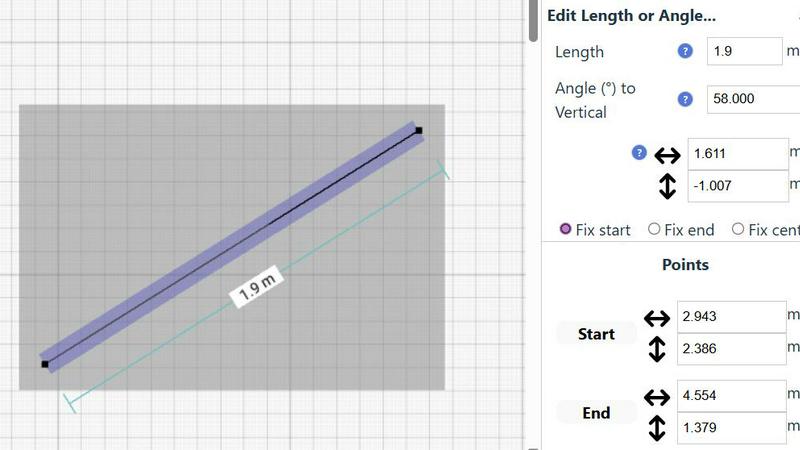
SimpleDraw includes a dedicated Floor Plan Mode, making it easy to create accurate floor plans for rooms, apartments, and entire houses. Users can effortlessly draw walls and add windows and doors with a single click. As adjustments are made, real-time measurements are displayed, ensuring that every detail aligns perfectly with the user's vision.
Smart Alignment System
The Smart Alignment System is a standout feature that assists users in placing points and lines exactly where they want them. By simply pointing the mouse, users can achieve precise positioning with clear visual cues. If adjustments are needed, zooming in provides greater precision, allowing users to guide elements accurately, making the drawing process seamless and efficient.
Comprehensive Measurement System
SimpleDraw offers a robust measurement system that allows users to toggle between metric and standard US units. Contextual measurements are dynamically displayed while users create their drawings. This comprehensive feature ensures that users can achieve the accuracy they need for their designs, whether they are planning a small room or an entire home.
Non-Destructive Editing
With 100% non-destructive editing, every element of a drawing can be modified at any time without losing previous work. SimpleDraw includes intuitive undo and redo options, facilitating easy adjustments. Users can also group elements for efficient movement and copying, streamlining repetitive tasks and enhancing productivity.
Use Cases
conceptviz
Classroom Lesson Plans
Teachers can use ConceptViz to create engaging diagrams for lesson plans, transforming complex ideas into clear visuals that enhance student understanding. By incorporating these diagrams into their teaching materials, educators can foster a more interactive and effective learning environment.
Research Presentations
Researchers can utilize ConceptViz to generate high-quality diagrams for their presentations, making intricate theories easier to understand for their audience. This functionality allows researchers to communicate their findings more effectively, ensuring that complex scientific ideas are accessible to all.
Student Projects
Students can leverage ConceptViz to create diagrams for their projects and assignments, making it easier to illustrate their understanding of scientific concepts. By using this tool, students can demonstrate their knowledge visually, which can enhance their overall comprehension of the subject matter.
Educational Workshops
ConceptViz is ideal for workshops focused on STEM education, where educators can create visuals on the spot to address various topics. This flexibility allows workshop leaders to adapt their materials in real-time, ensuring that all participants receive relevant and engaging content.
SimpleDraw
Kitchen and Bathroom Renovations
When planning a kitchen or bathroom renovation, SimpleDraw allows users to create accurate layouts that visualize their ideas before starting any work. This feature helps prevent costly mistakes, ensuring that the final design meets both functionality and aesthetic goals.
Room Layouts and Furniture Planning
Whether designing a cozy bedroom, an inviting living room, or a productive office space, SimpleDraw makes it easy to visualize room layouts. Users can experiment with different furniture arrangements, ensuring that everything fits and flows well before making any purchases.
House and Apartment Plans
For those creating complete floor plans for home projects or rental listings, SimpleDraw provides a user-friendly platform to design intricate layouts. From single-room designs to multi-level homes, users can create detailed plans that accurately represent their spaces.
Community-Driven Design Projects
SimpleDraw encourages community involvement by allowing users to share their designs and collaborate on projects. By joining the SimpleDraw community through Discord, users can request features, share ideas, and help shape the tool's future, fostering a sense of shared creativity.
Overview
About conceptviz
ConceptViz is an innovative tool designed to empower educators, students, and researchers by transforming complex scientific concepts into easily digestible diagrams. This platform is tailored specifically for STEM disciplines, including physics, biology, chemistry, earth sciences, and mathematics. Whether you are a K-12 teacher crafting engaging lesson plans or a university researcher presenting intricate theories, ConceptViz streamlines the process of diagram creation, allowing users to generate high-quality, projector-ready visuals with just a few simple steps. The main value proposition of ConceptViz lies in its ability to save time and enhance clarity in educational presentations. By providing users with an efficient way to create accurate scientific visuals, ConceptViz enables educators to focus on fostering understanding and inspiration among their students, rather than getting bogged down in the complexities of design.
About SimpleDraw
SimpleDraw is a groundbreaking online tool that empowers users to create precise and accurate scale drawings effortlessly. Ideal for DIY enthusiasts, home renovators, and anyone who wants to visualize a space, SimpleDraw is designed to transform ideas into reality. With its intuitive interface, users can jump right in, regardless of their experience level. The platform's primary value proposition lies in its blend of simplicity and accuracy, allowing for the creation of detailed floor plans, elevations, and other scale drawings without the need for complex software. Best of all, SimpleDraw is completely free to use, requiring no login or registration. This accessibility invites all users, from casual planners to seasoned designers, to explore their creativity and bring their projects to life.
Frequently Asked Questions
conceptviz FAQ
How does ConceptViz simplify diagram creation?
ConceptViz simplifies diagram creation by allowing users to input plain-English descriptions, which the platform then transforms into high-quality visuals tailored to the specified subject and grade level.
Who can benefit from using ConceptViz?
Educators, students, and researchers across various STEM disciplines can benefit from using ConceptViz. The tool is designed to support anyone who needs accurate visual explanations, from K-12 teachers to university researchers.
What types of diagrams can I create with ConceptViz?
Users can create a wide range of diagrams, including those for physics, biology, chemistry, earth sciences, and mathematics. The platform offers subject and grade presets to streamline the diagram creation process.
Is there a cost associated with using ConceptViz?
Yes, ConceptViz offers a limited-time lifetime deal for $229, with only a few seats left. This pricing structure ensures that users can access the platform's valuable features for a one-time fee.
SimpleDraw FAQ
Is SimpleDraw really free to use?
Yes, SimpleDraw is completely free to use. There are no hidden fees, and users do not need to create an account or log in to access its features.
Do I need any prior experience to use SimpleDraw?
No prior experience is required to use SimpleDraw. The platform is designed with a user-friendly interface that makes it accessible for beginners while still powerful enough for advanced users.
Can I save my drawings on SimpleDraw?
Currently, SimpleDraw does not support saving drawings directly. However, users can take screenshots of their designs or use other methods to save their work externally.
What types of drawings can I create with SimpleDraw?
With SimpleDraw, users can create a variety of drawings, including floor plans, room layouts, and architectural designs. The tool is versatile and suitable for both personal and professional projects.
Alternatives
conceptviz Alternatives
ConceptViz is a transformative tool that falls under the categories of AI Assistants, Content Creation, Data Visualization, and Design Tools. By enabling educators, students, and researchers to turn complex science and math concepts into clear, engaging diagrams, it serves as a bridge between intricate ideas and accessible learning. However, as users explore their options, they often seek alternatives due to various reasons such as pricing, desired features, or specific platform requirements that may better suit their unique needs. When searching for an alternative to ConceptViz, users should consider several factors. First, the ease of use is crucial; a user-friendly interface can significantly enhance the diagram creation process. Additionally, the flexibility of features, such as the ability to generate custom diagrams and the quality of visuals produced, are important aspects that can influence a user's decision. Finally, understanding the support for different subjects and grade levels can determine if the alternative aligns with the intended educational goals.
SimpleDraw Alternatives
SimpleDraw is a cutting-edge web-based drawing tool designed for users seeking to create precise scale drawings and floor plans with ease. As a design tool, it empowers individuals from all walks of life—whether DIY enthusiasts or seasoned professionals—to visualize their projects without the steep learning curve associated with traditional software. However, users often seek alternatives to SimpleDraw for various reasons, including pricing concerns, the need for additional features, or compatibility with different platforms. When looking for alternatives, it’s crucial to consider factors such as the user interface, the range of tools available, and whether the software can accommodate specific project requirements. A good alternative should also provide similar ease of use and flexibility, ensuring that users can continue their creative journey without interruption.