
conceptviz vs Proofapp
Side-by-side comparison to help you choose the right product.

Transform complex science and math concepts into clear, engaging diagrams with ConceptViz for effective teaching and.
Last updated: February 28, 2026

Proofapp
Stop endless email chains by pinning visual feedback directly on your website.
Last updated: March 4, 2026
Visual Comparison
conceptviz
Proofapp

Feature Comparison
conceptviz
User-Friendly Interface
ConceptViz is built with a focus on ease of use. The platform allows users to sign in and choose their topic effortlessly, making it accessible for educators, students, and researchers at all levels. This user-friendly design means that no prior design or drawing skills are required, allowing anyone to create professional-quality diagrams quickly.
Plain-English Descriptions
With ConceptViz, users can simply type a short, plain-English description of the diagram they need. This feature ensures that even those who may struggle with technical jargon can easily communicate their requirements, leading to accurate and relevant diagrams that meet their educational needs.
High-Quality Visuals
ConceptViz generates projector-ready diagrams that are not only visually appealing but also practical for teaching. The diagrams feature thick, legible lines and labels, designed to be crisp and clear from the front row to the back of the classroom. This attention to clarity ensures that all students can easily comprehend the material being presented.
Versatile Use Cases
Whether for classroom instruction, research presentations, or study materials, ConceptViz caters to a wide range of educational scenarios. The platform's adaptability allows educators to create visuals that are tailored to specific subject matters and grade levels, enhancing the overall learning experience.
Proofapp
Visual Commenting
Gone are the days of describing a UI element as "top left, under the navigation, next to the blue thing." With Proofapp's visual commenting, reviewers simply click directly on the live screenshot to leave a pin. This creates a comment that is irrevocably tied to that exact pixel, eliminating all spatial ambiguity. Team members can then reply in threads, creating a clear, contextual conversation around each specific piece of feedback, ensuring nothing is lost in translation and every suggestion is perfectly understood.
Multi-Breakpoint Testing
In today's multi-device world, feedback on just a desktop view is insufficient. Proofapp understands this journey and automatically captures your website at both desktop and mobile breakpoints the moment you provide a URL. This allows stakeholders to provide precise feedback for each experience simultaneously, ensuring your design is polished and functional across all screen sizes without the need for manual, error-prone screenshotting from different browsers or devices.
Secure, Account-Free Sharing
The journey to gather client feedback often hits a roadblock when they are asked to create yet another account. Proofapp removes this friction entirely. You can share a project via a secure, expirable link that grants clients immediate access to view and comment. They participate fully in the feedback process without any sign-up forms, making the collaboration process incredibly smooth and professional, while you maintain control over access and project security.
Real-Time Collaboration & Resolution
Watching feedback arrive in real-time transforms a linear, slow process into a dynamic, collaborative session. As team members and clients pin comments, everyone sees them appear instantly. You can discuss, reply, and—most importantly—mark items as resolved. This creates a living, actionable task list directly on the design, providing a clear visual progress tracker that ensures no feedback falls through the cracks and everyone is aligned on what's done and what's next.
Use Cases
conceptviz
Classroom Lesson Plans
Teachers can use ConceptViz to create engaging diagrams for lesson plans, transforming complex ideas into clear visuals that enhance student understanding. By incorporating these diagrams into their teaching materials, educators can foster a more interactive and effective learning environment.
Research Presentations
Researchers can utilize ConceptViz to generate high-quality diagrams for their presentations, making intricate theories easier to understand for their audience. This functionality allows researchers to communicate their findings more effectively, ensuring that complex scientific ideas are accessible to all.
Student Projects
Students can leverage ConceptViz to create diagrams for their projects and assignments, making it easier to illustrate their understanding of scientific concepts. By using this tool, students can demonstrate their knowledge visually, which can enhance their overall comprehension of the subject matter.
Educational Workshops
ConceptViz is ideal for workshops focused on STEM education, where educators can create visuals on the spot to address various topics. This flexibility allows workshop leaders to adapt their materials in real-time, ensuring that all participants receive relevant and engaging content.
Proofapp
Freelancer-Client Website Reviews
For freelancers, time is the most precious commodity. Using email chains to collect client feedback on a new website design is a time-consuming journey filled with misinterpretation. Proofapp streamlines this into a professional, visual process. The freelancer shares a secure link, and the client clicks directly on the design to leave clear notes. This saves hours per project, reduces revision rounds, and presents a polished, efficient workflow that impresses clients and protects the freelancer's schedule.
Agency Managing Multiple Client Projects
Creative and development agencies juggle multiple client projects simultaneously, each with its own team and stakeholders. Managing feedback across all these projects via email and shared drives is a recipe for chaos. Proofapp provides a centralized, visual dashboard for each project. It keeps all client and internal feedback organized, threaded, and pinned to the correct design, ensuring that project managers can track progress accurately and teams never implement feedback from the wrong email thread.
In-House Design & Development Handoff
The journey from a design mockup to a live feature involves careful collaboration between designers and developers. Vague written specifications can lead to build errors and rework. With Proofapp, designers can share the live prototype or staging site URL. Developers can then pin specific questions or issues directly onto the UI element in question, creating a precise, visual dialogue that ensures the final build matches the design intent perfectly, speeding up the development cycle.
Marketing Team Landing Page Optimization
Launching a high-converting landing page requires input from copywriters, designers, and marketing managers. Proofapp facilitates this cross-functional review seamlessly. The team can collectively view the page, pin feedback on headlines, imagery, and call-to-action buttons, and attach supporting documents like brand guidelines or analytics reports. This visual collaboration ensures the final page is a cohesive, optimized asset before it ever goes live to the audience.
Overview
About conceptviz
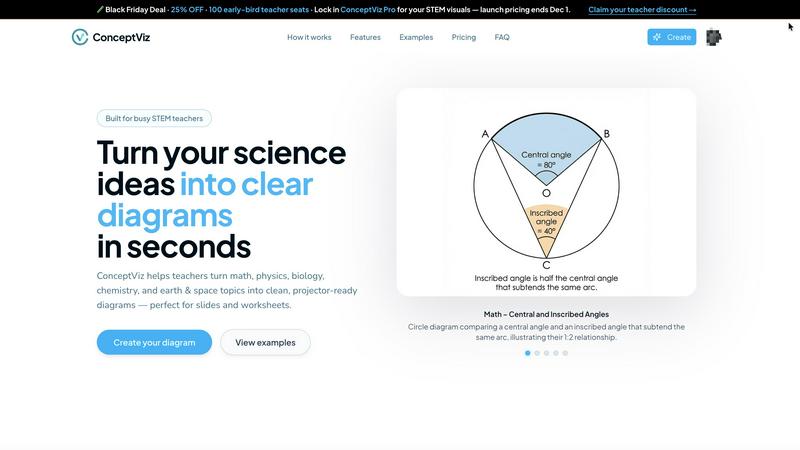
ConceptViz is an innovative tool designed to empower educators, students, and researchers by transforming complex scientific concepts into easily digestible diagrams. This platform is tailored specifically for STEM disciplines, including physics, biology, chemistry, earth sciences, and mathematics. Whether you are a K-12 teacher crafting engaging lesson plans or a university researcher presenting intricate theories, ConceptViz streamlines the process of diagram creation, allowing users to generate high-quality, projector-ready visuals with just a few simple steps. The main value proposition of ConceptViz lies in its ability to save time and enhance clarity in educational presentations. By providing users with an efficient way to create accurate scientific visuals, ConceptViz enables educators to focus on fostering understanding and inspiration among their students, rather than getting bogged down in the complexities of design.
About Proofapp
Imagine the last time you tried to collect feedback on a website design. The process likely started with a flurry of emails, each containing a new screenshot with hastily drawn arrows and the dreaded phrase, "See attached." Hours were lost to confusion, misinterpretation, and tracking down which comment referred to which version of the design. This was the old way. Proofapp is the new way. It is a visual feedback and collaboration platform built to transform this chaotic, error-prone journey into a smooth, efficient, and clear path from concept to launch. By simply pasting a URL, Proofapp automatically captures your site at desktop and mobile breakpoints, creating a shared visual canvas. On this canvas, clients, designers, developers, and marketers can pin comments directly onto the design, reply in organized threads, attach files, and resolve feedback—all without the reviewer needing an account. It replaces scattered emails and vague notes with a single source of truth, ensuring every piece of feedback is visual, contextual, and actionable. Built for freelancers, agencies, and product teams, Proofapp is the tool that finally turns the painful process of revisions into a collaborative journey, saving teams over five hours per week and cutting miscommunication by 60%.
Frequently Asked Questions
conceptviz FAQ
How does ConceptViz simplify diagram creation?
ConceptViz simplifies diagram creation by allowing users to input plain-English descriptions, which the platform then transforms into high-quality visuals tailored to the specified subject and grade level.
Who can benefit from using ConceptViz?
Educators, students, and researchers across various STEM disciplines can benefit from using ConceptViz. The tool is designed to support anyone who needs accurate visual explanations, from K-12 teachers to university researchers.
What types of diagrams can I create with ConceptViz?
Users can create a wide range of diagrams, including those for physics, biology, chemistry, earth sciences, and mathematics. The platform offers subject and grade presets to streamline the diagram creation process.
Is there a cost associated with using ConceptViz?
Yes, ConceptViz offers a limited-time lifetime deal for $229, with only a few seats left. This pricing structure ensures that users can access the platform's valuable features for a one-time fee.
Proofapp FAQ
How do reviewers leave comments without an account?
The process is designed for maximum ease. When you create a project in Proofapp and capture your website, you generate a unique, secure sharing link. You simply send this link to your clients or stakeholders. When they open it, they are presented with the screenshots and can immediately start clicking to leave pinned comments and participate in threads. No registration, passwords, or downloads are required on their end, removing a major barrier to collaboration.
What kind of websites can I use with Proofapp?
Proofapp is built to work with any publicly accessible website URL. This includes live production sites, staging environments, password-protected sites (if you provide the credentials during capture), and even local development servers using a tunneling service. As long as a URL can be loaded in a browser, Proofapp can capture it for visual feedback, making it versatile for every stage of your development journey.
Is my data and feedback secure?
Yes, security is a cornerstone of the Proofapp journey. Projects are shared via secure links that you can set to expire. The platform offers enterprise-grade security features including role-based permissions and audit logs. Your website screenshots and all associated feedback conversations are stored securely, ensuring that sensitive client projects and internal design iterations are handled with care and confidentiality.
Can I integrate Proofapp with other tools like Slack?
Absolutely. Proofapp offers integration with Slack to streamline your team's workflow. You can connect your workspace to receive real-time notifications in a designated Slack channel whenever new feedback is posted or comments are resolved. This keeps everyone in the loop without requiring them to constantly check the Proofapp dashboard, embedding the feedback process directly into your team's existing communication journey.
Alternatives
conceptviz Alternatives
ConceptViz is a transformative tool that falls under the categories of AI Assistants, Content Creation, Data Visualization, and Design Tools. By enabling educators, students, and researchers to turn complex science and math concepts into clear, engaging diagrams, it serves as a bridge between intricate ideas and accessible learning. However, as users explore their options, they often seek alternatives due to various reasons such as pricing, desired features, or specific platform requirements that may better suit their unique needs. When searching for an alternative to ConceptViz, users should consider several factors. First, the ease of use is crucial; a user-friendly interface can significantly enhance the diagram creation process. Additionally, the flexibility of features, such as the ability to generate custom diagrams and the quality of visuals produced, are important aspects that can influence a user's decision. Finally, understanding the support for different subjects and grade levels can determine if the alternative aligns with the intended educational goals.
Proofapp Alternatives
Proofapp is a visual feedback and website review platform, a vital tool in the design collaboration category. It streamlines the process of collecting and managing feedback by allowing users to pin comments directly onto live website screenshots, turning vague notes into clear, actionable tasks. Users often explore alternatives for various reasons. Some may need a different pricing structure as their team grows, while others might require deeper integrations with specific project management or development platforms. The search can also be driven by a need for more advanced features like video feedback, version history, or different permission controls. When choosing an alternative, focus on the core of your collaboration journey. Consider how your team communicates and resolves feedback today. Look for a solution that not only captures visual comments but also fits seamlessly into your existing workflow, ensuring that the tool enhances clarity rather than adding another layer of complexity to your process.