
conceptviz vs Image3D AI
Side-by-side comparison to help you choose the right product.

conceptviz
Transform complex science and math concepts into clear, engaging diagrams with ConceptViz for effective teaching and.
Last updated: February 28, 2026

Image3D AI
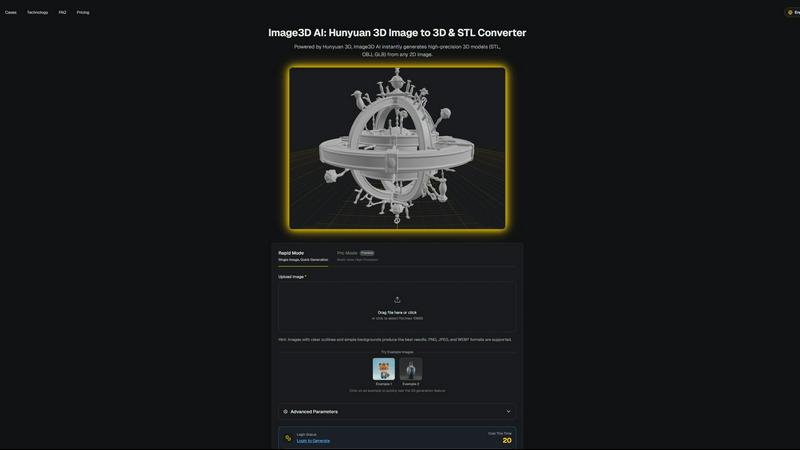
Start your creative journey by instantly transforming any 2D image into a detailed 3D model.
Last updated: March 1, 2026
Visual Comparison
conceptviz
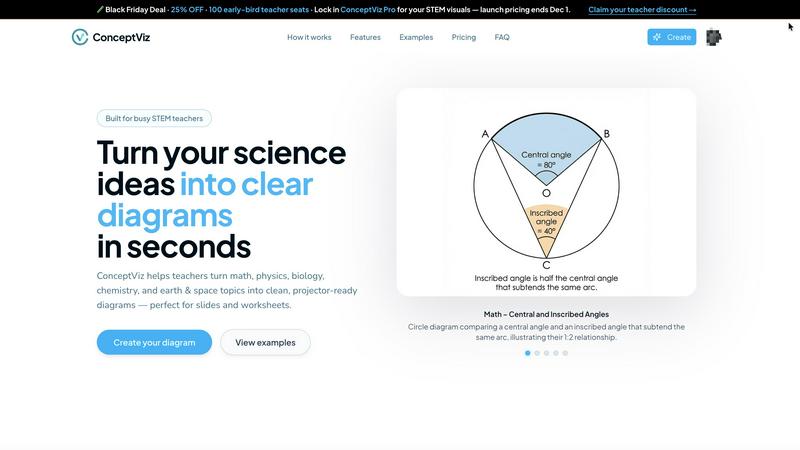
Image3D AI
Feature Comparison
conceptviz
User-Friendly Interface
ConceptViz is built with a focus on ease of use. The platform allows users to sign in and choose their topic effortlessly, making it accessible for educators, students, and researchers at all levels. This user-friendly design means that no prior design or drawing skills are required, allowing anyone to create professional-quality diagrams quickly.
Plain-English Descriptions
With ConceptViz, users can simply type a short, plain-English description of the diagram they need. This feature ensures that even those who may struggle with technical jargon can easily communicate their requirements, leading to accurate and relevant diagrams that meet their educational needs.
High-Quality Visuals
ConceptViz generates projector-ready diagrams that are not only visually appealing but also practical for teaching. The diagrams feature thick, legible lines and labels, designed to be crisp and clear from the front row to the back of the classroom. This attention to clarity ensures that all students can easily comprehend the material being presented.
Versatile Use Cases
Whether for classroom instruction, research presentations, or study materials, ConceptViz caters to a wide range of educational scenarios. The platform's adaptability allows educators to create visuals that are tailored to specific subject matters and grade levels, enhancing the overall learning experience.
Image3D AI
Powered by Hunyuan 3D Engine
At the heart of Image3D AI lies Tencent's cutting-edge Hunyuan 3D technology, a powerhouse of artificial intelligence designed for spatial understanding. This advanced engine performs complex inference from flat images, reconstructing depth, geometry, and texture with remarkable accuracy. It's this foundational technology that transforms a simple upload into a detailed, high-precision 3D model, making professional-grade 3D generation accessible to everyone without requiring any prior 3D modeling expertise.
Dual Generation Modes for Every Need
Your creative journey is unique, and Image3D AI adapts to your pace and precision requirements. Choose Rapid Mode for a quick, single-image conversion when speed is essential. For projects demanding the highest fidelity, such as 3D printing or product visualization, engage Pro Mode. By uploading multiple views of your subject (front, side, back), you guide the AI to perform a physically accurate reconstruction, resulting in a stunningly detailed and dimensionally correct model.
Multi-Format Export for Any Workflow
The journey doesn't end with generation; it continues into your chosen creative environment. Image3D AI ensures your 3D model is ready for the next step by offering exports in the most versatile industry-standard formats. Download your creation as an STL file for 3D printing, an OBJ for further editing in software like Blender or Maya, or a compact GLB file perfect for web display, AR applications, and game engines like Unity and Unreal Engine.
Intelligent Best Practices & Guidance
Image3D AI is designed to be a helpful guide, not just a passive tool. The platform provides clear hints and a comprehensive Best Practices Guide to set you up for success. It advises on selecting the best source images—those with clear outlines and simple backgrounds—and explains the strengths of each generation mode and file format. This built-in wisdom helps you maximize conversion quality, ensuring your journey from 2D to 3D is as smooth and successful as possible.
Use Cases
conceptviz
Classroom Lesson Plans
Teachers can use ConceptViz to create engaging diagrams for lesson plans, transforming complex ideas into clear visuals that enhance student understanding. By incorporating these diagrams into their teaching materials, educators can foster a more interactive and effective learning environment.
Research Presentations
Researchers can utilize ConceptViz to generate high-quality diagrams for their presentations, making intricate theories easier to understand for their audience. This functionality allows researchers to communicate their findings more effectively, ensuring that complex scientific ideas are accessible to all.
Student Projects
Students can leverage ConceptViz to create diagrams for their projects and assignments, making it easier to illustrate their understanding of scientific concepts. By using this tool, students can demonstrate their knowledge visually, which can enhance their overall comprehension of the subject matter.
Educational Workshops
ConceptViz is ideal for workshops focused on STEM education, where educators can create visuals on the spot to address various topics. This flexibility allows workshop leaders to adapt their materials in real-time, ensuring that all participants receive relevant and engaging content.
Image3D AI
For 3D Printing Enthusiasts
Embark on the journey from a simple sketch or photo to a physical object in your hand. Image3D AI acts as your essential image to STL converter, generating watertight, high-precision meshes that are ready for your slicer software and 3D printer. Whether you're prototyping a product, creating custom figurines, or making replacement parts, it transforms your 2D concepts into printable 3D reality with incredible ease.
For Game Developers & Digital Artists
Accelerate your asset creation pipeline and bring characters, props, and environments to life faster than ever. By converting concept art and sketches directly into 3D models, Image3D AI saves countless hours of manual modeling. The generated models, complete with PBR material support, provide an excellent starting base that can be quickly refined and imported directly into game engines like Unity or Unreal Engine to meet tight production deadlines.
For E-commerce & Product Marketing
Transform the online shopping experience by turning static product photos into interactive, immersive 3D models. Use Image3D AI to create assets that allow customers to view items from every angle in 3D or through AR previews directly in their space. This journey from a flat catalog image to an engaging digital showcase significantly boosts customer confidence, reduces returns, and sets your brand apart in a competitive marketplace.
For Architects & Industrial Designers
Jumpstart the design visualization process by quickly generating 3D forms from initial sketches, logos, or reference images. Image3D AI helps architects and designers communicate concepts more effectively, creating volumetric models of structures, furniture, or products in minutes. This rapid prototyping capability saves valuable time in the early stages, allowing for faster iteration and more efficient client presentations.
Overview
About conceptviz
ConceptViz is an innovative tool designed to empower educators, students, and researchers by transforming complex scientific concepts into easily digestible diagrams. This platform is tailored specifically for STEM disciplines, including physics, biology, chemistry, earth sciences, and mathematics. Whether you are a K-12 teacher crafting engaging lesson plans or a university researcher presenting intricate theories, ConceptViz streamlines the process of diagram creation, allowing users to generate high-quality, projector-ready visuals with just a few simple steps. The main value proposition of ConceptViz lies in its ability to save time and enhance clarity in educational presentations. By providing users with an efficient way to create accurate scientific visuals, ConceptViz enables educators to focus on fostering understanding and inspiration among their students, rather than getting bogged down in the complexities of design.
About Image3D AI
Imagine a world where the barrier between a fleeting idea and a tangible creation dissolves. This is the world Image3D AI invites you to step into. It is not merely a tool; it is a companion on your creative journey, transforming the static, two-dimensional images you hold dear—be it a cherished family photo, a rough sketch on a napkin, or a professional product design—into rich, fully-realized three-dimensional models. Powered by Tencent's revolutionary Hunyuan 3D engine, this technology democratizes a process that once required years of specialized skill and complex software. Now, in a matter of minutes, you can bridge the gap from inspiration to a production-ready asset. Whether you are a 3D printing hobbyist visualizing your next masterpiece, a game developer under a tight deadline needing character models, or an e-commerce professional aiming to create captivating AR experiences, Image3D AI streamlines your path. It empowers you to generate high-fidelity 3D models from a single image or a set of multi-view photos, turning your flat visions into volumetric, usable digital objects. Your journey from a simple picture to a 3D reality has never been more accessible, intuitive, or swift.
Frequently Asked Questions
conceptviz FAQ
How does ConceptViz simplify diagram creation?
ConceptViz simplifies diagram creation by allowing users to input plain-English descriptions, which the platform then transforms into high-quality visuals tailored to the specified subject and grade level.
Who can benefit from using ConceptViz?
Educators, students, and researchers across various STEM disciplines can benefit from using ConceptViz. The tool is designed to support anyone who needs accurate visual explanations, from K-12 teachers to university researchers.
What types of diagrams can I create with ConceptViz?
Users can create a wide range of diagrams, including those for physics, biology, chemistry, earth sciences, and mathematics. The platform offers subject and grade presets to streamline the diagram creation process.
Is there a cost associated with using ConceptViz?
Yes, ConceptViz offers a limited-time lifetime deal for $229, with only a few seats left. This pricing structure ensures that users can access the platform's valuable features for a one-time fee.
Image3D AI FAQ
What kind of images work best with Image3D AI?
For the most successful journey from 2D to 3D, we recommend using high-quality images with clear, strong outlines and a simple, uncluttered background. Images with good contrast and well-defined subjects—like logos, sketches, or product photos on a plain backdrop—yield the best results. Avoid blurry, poorly lit, or overly complex images where the main subject is not distinct.
What is the difference between Rapid Mode and Pro Mode?
Think of it as choosing the path for your creative journey. Rapid Mode is the express route: upload a single image for a fast 3D generation, perfect for initial concepts or simple shapes. Pro Mode is the scenic, detailed route: by providing multiple views (e.g., front, side, top) of your subject, you enable the AI to build a far more accurate and high-fidelity 3D reconstruction, which is ideal for precise projects like 3D printing or product visualization.
Which file format should I download?
Your choice depends on the destination of your 3D journey. For 3D printing, select the .STL format—it's the universal standard for slicer software. If you plan to edit the model further in programs like Blender or Maya, the .OBJ format is widely compatible. For use on the web, in AR applications, or game engines, the .GLB format is the modern choice as it contains the model, textures, and materials in a single, efficient file.
Do I need any 3D modeling skills to use this tool?
Absolutely not. Democratizing 3D creation is at the core of our mission. Image3D AI is designed for everyone, from complete beginners to seasoned professionals. The entire process is guided and automated by AI. You simply upload your image, select your preferences, and the tool handles the complex task of 3D reconstruction, requiring no technical expertise from you. Your journey starts with an idea, not a software manual.
Alternatives
conceptviz Alternatives
ConceptViz is a transformative tool that falls under the categories of AI Assistants, Content Creation, Data Visualization, and Design Tools. By enabling educators, students, and researchers to turn complex science and math concepts into clear, engaging diagrams, it serves as a bridge between intricate ideas and accessible learning. However, as users explore their options, they often seek alternatives due to various reasons such as pricing, desired features, or specific platform requirements that may better suit their unique needs. When searching for an alternative to ConceptViz, users should consider several factors. First, the ease of use is crucial; a user-friendly interface can significantly enhance the diagram creation process. Additionally, the flexibility of features, such as the ability to generate custom diagrams and the quality of visuals produced, are important aspects that can influence a user's decision. Finally, understanding the support for different subjects and grade levels can determine if the alternative aligns with the intended educational goals.
Image3D AI Alternatives
Image3D AI is a pioneering tool in the realm of AI-powered design, a gateway that transforms your 2D images into detailed, usable 3D models in minutes. It invites creators on a journey from a flat concept to a tangible digital object, democratizing a process that once required significant skill and time. Every creator's path is unique, and the search for an alternative often begins at a crossroads. Some may seek a different pricing structure to fit their journey's budget, while others require specific features or integrations that align with their destination, be it a particular game engine or 3D printing service. The need might stem from platform compatibility or a desire for a different user experience. When choosing a different path, consider the core of your creative journey. Look for a tool that understands your destination—whether it's high-poly detail for animation or watertight meshes for 3D printing. Evaluate the ease of the journey itself, the learning curve, and how seamlessly the final creation can travel into your existing workflow. The right alternative should feel like a natural extension of your creative process.