
AI Formatter vs CleanPaste.org
Side-by-side comparison to help you choose the right product.
Start your journey from raw text to a perfectly polished professional document in just a few clicks.
Last updated: March 1, 2026
CleanPaste.org
Begin your journey to authentic text by instantly removing invisible characters and AI watermarks.
Last updated: February 28, 2026
Visual Comparison
AI Formatter
CleanPaste.org
Feature Comparison
AI Formatter
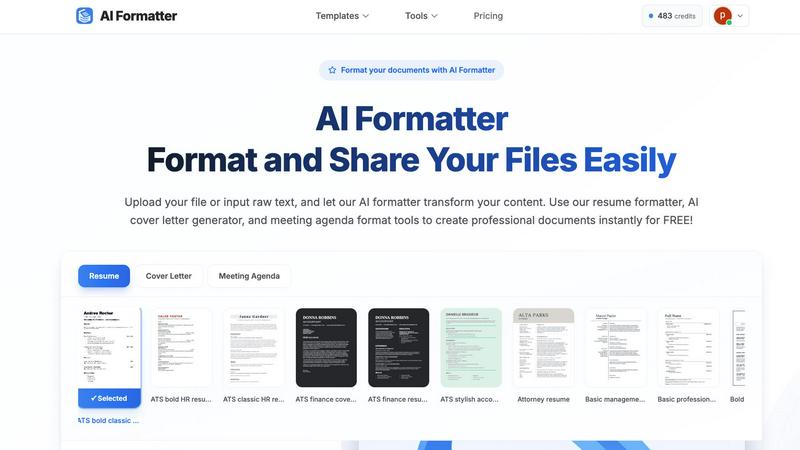
Vast Template Library with ATS Optimization
Navigate a curated collection of over 100 professional templates, each engineered for success. From sleek, modern resumes to formal cover letters and structured meeting agendas, every template is designed with ATS (Applicant Tracking System) compatibility at its core. This intelligent design ensures the layout, fonts, and sectioning are parsed correctly by automated software, giving your documents a 95%+ pass rate and a significant advantage in the initial screening stage.
Intelligent AI-Powered Formatting Engine
At the heart of AI Formatter is its revolutionary AI engine. This technology does more than just apply a template; it understands the context and structure of your uploaded content. Whether you provide a messy text document or a basic PDF, the AI intelligently maps your information—like contact details, work experience, and skills—into the appropriate sections of your chosen template, maintaining all your crucial content while bestowing a professional structure upon it.
Real-Time Interactive Editor
After the AI works its initial magic, your journey continues with full creative control. The integrated real-time online editor allows you to fine-tune every detail. Adjust fonts and colors to match your personal or company brand, tweak layouts, and edit text directly within the platform. This seamless transition from AI-generated draft to fully customized final document happens in one fluid workspace, eliminating the need for multiple software tools.
Multi-Format Export & Secure Sharing
Once your document is perfected, AI Formatter provides flexible pathways to share your success. Download your creation in the format you need, including Word (DOCX), PDF, and plain text files. Beyond downloading, utilize built-in secure sharing functionalities to send your document directly to colleagues, clients, or hiring managers straight from the platform, streamlining your workflow from creation to distribution.
CleanPaste.org
Instant AI Watermark & Metadata Removal
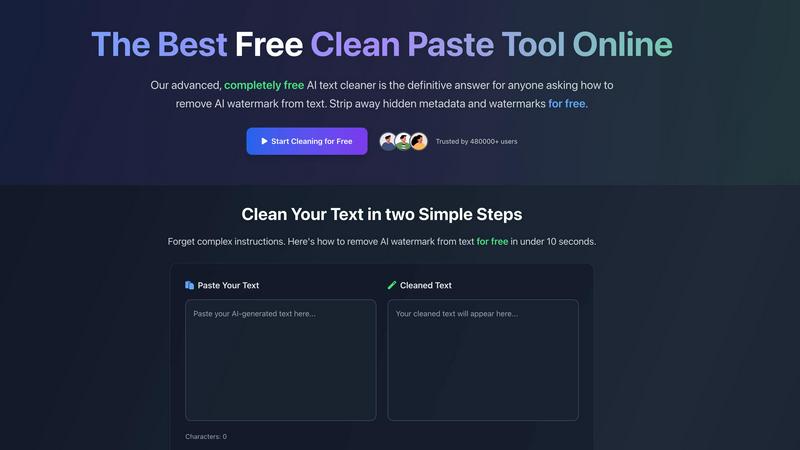
Embark on a swift journey from cluttered to clean. Our advanced algorithm acts as a deep scanner, meticulously combing through your text to identify and strip away AI-generated watermarks and hidden metadata. This process ensures the structural integrity and meaning of your content remain perfectly preserved, while the invisible digital footprints are completely erased. You achieve pristine, human-attributed text in mere seconds, with just a single click.
Zero-Width Space & Invisible Character Stripping
Navigate the hidden pitfalls within your text with confidence. Beyond AI markers, our tool is engineered to detect and eliminate a spectrum of covert characters, such as zero-width spaces and formatting artifacts that often sneak in during copy-paste operations. This thorough cleansing ensures your final document is not only AI-undetectable but also technically clean, free from glitches that could disrupt publishing platforms or submission systems.
Real-Time Processing with Live Counters
Watch the transformation unfold before your eyes. As you paste your text, live character and word counters provide immediate feedback. The interface is designed for a transparent journey, allowing you to see the volume of your input and the cleaned output simultaneously. This real-time interaction demystifies the process, giving you complete control and assurance as your text is refined instantly, without any waiting or delays.
100% Free, No-Account Required Access
Begin your journey without any barriers. CleanPaste.org is built on the principle of accessible utility. There is no registration wall to climb, no subscription fee to pay, and no arbitrary limit on how much you can cleanse. This commitment to being truly free empowers every user, regardless of their background or budget, to access top-tier text purification tools and achieve their writing goals with absolute freedom.
Use Cases
AI Formatter
The Job Seeker's Advantage
For the modern job seeker, the application process is a marathon. AI Formatter acts as your personal pit crew. Upload your existing resume or paste your work history into raw text. Select an ATS-optimized template, and in moments, you have a professionally formatted resume and a matching cover letter generated by AI. This powerful combination ensures you present your best self, pass automated screens, and save invaluable hours to apply for more opportunities.
Streamlining Professional Business Documentation
Professionals and small business owners are constantly creating documents—meeting agendas, project briefs, invoices, and reports. AI Formatter turns this chore into a quick, consistent process. Transform rough meeting notes into a clear, structured agenda format in seconds. Input client and service details to generate a polished, branded invoice. This consistency elevates your professional image and frees up time for core business activities.
Academic and Research Paper Preparation
Students and academics can elevate their submissions with properly formatted papers, theses, and project reports. Instead of wrestling with manual formatting rules for headings, citations, and layouts, users can input their draft content. AI Formatter applies a clean, academic-appropriate structure, allowing the writer to focus on the quality of their research and arguments rather than the tedious presentation details.
Freelancer Portfolio and Proposal Polishing
Freelancers live on the quality of their proposals and portfolio pieces. A well-formatted project proposal or case study can be the difference between winning and losing a client. AI Formatter enables freelancers to quickly take their raw project descriptions and client testimonials, format them into visually appealing documents, and export professional PDFs that make a strong, credible impression from the very first glance.
CleanPaste.org
For Students Submitting Academic Work
The journey through academia is challenging enough without the fear of unintentional plagiarism flags. A student using AI to help structure a complex essay or proofread a draft can find themselves with text containing hidden metadata. CleanPaste.org becomes their essential final step, scrubbing the content clean to ensure their own ideas and hard work are submitted with confidence, free from any invisible markers that could question its originality.
For Content Creators & SEO Specialists
A blogger or SEO specialist's journey is to build trust and authentic engagement with their audience. When leveraging AI for ideation or drafting, the resulting text can carry a synthetic tone or hidden watermarks detectable by sophisticated tools. Using CleanPaste.org, they can humanize this content, removing AI traces to ensure it aligns perfectly with their brand's unique voice, improves readability, and ranks favorably without risking penalties for AI-generated material.
For Professionals & Business Communicators
The professional journey demands clarity and authenticity in every communication. Whether drafting a critical client report, a company-wide announcement, or sensitive emails with AI assistance, hidden formatting or metadata can appear unprofessional. CleanPaste.org ensures all outgoing documents and messages are polished and pristine, presenting a flawless, human-crafted image that upholds the individual's and the company's reputation for meticulous quality.
For Non-Native English Speakers
The journey to articulate ideas in a second language is empowered by AI writing aids, but the output can sometimes feel stiff or identifiably artificial. For non-native speakers, CleanPaste.org is a bridge to natural expression. It helps refine AI-assisted drafts by removing the tell-tale watermarks, allowing the user's intended message and personal nuance to take center stage, resulting in communication that feels genuinely personal and professionally competent.
Overview
About AI Formatter
Imagine staring at a blank page, the pressure mounting as you need to create a professional document that not only looks impeccable but also passes through the invisible gatekeepers of modern hiring: Automated Tracking Systems. This was the universal struggle before AI Formatter. Developed by Sun Sky LLC, AI Formatter is your intelligent co-pilot on the journey from raw, unstructured content to polished, powerful documents. It’s a cloud-based platform where you simply upload your existing Word, PDF, or text files, or input raw text, and watch as advanced AI transforms it in seconds. Tailored for job seekers crafting the perfect resume, professionals preparing meeting agendas, businesses generating invoices, and academics structuring reports, AI Formatter removes the hours of tedious formatting. Its core promise is profound simplicity and exceptional results, boasting a 95%+ ATS pass rate to ensure your resume isn't lost in the digital void. Starting with free credits to begin your journey, it empowers you to create with confidence, saving an average of two hours per document and letting your content shine.
About CleanPaste.org
Imagine you've just poured your heart and soul into a piece of writing, only to have its authenticity questioned by an invisible digital fingerprint. This is the modern writer's dilemma in the age of AI assistance. CleanPaste.org emerges as the trusted companion on your journey to genuine, untainted expression. It is a revolutionary, web-based sanctuary where text is liberated from the hidden shackles of AI watermarks and metadata. The tool serves a diverse community—from the student meticulously polishing a thesis to the content creator crafting a brand's voice, and the professional ensuring a report's integrity. Their shared destination is the same: content that resonates as authentically human. The most remarkable part of this journey is that it is completely free. With no sign-up gates, no usage limits, and no hidden paywalls, CleanPaste.org has already guided over 480,000 users to their goal. Its core promise is simple yet profound: to provide a seamless, instant cleansing process that removes invisible characters and AI traces, allowing your true voice to shine through, undetected and uninterrupted.
Frequently Asked Questions
AI Formatter FAQ
What file formats can I upload to AI Formatter?
AI Formatter is designed for versatility and accepts a wide range of common document formats for upload. You can directly upload files in PDF, DOC, DOCX, and TXT formats. This covers most documents created in word processors, exported from other software, or saved as simple text, making it easy to start your formatting journey with content you already have.
How does the ATS optimization feature work?
Our ATS optimization is built into the DNA of our professional templates. These templates are designed with clean, parsable layouts, standard section headings, and compatible fonts that Applicant Tracking Systems can easily read and interpret. By using an AI Formatter template, you avoid common formatting mistakes that cause ATS systems to reject or misread resumes, significantly increasing your document's chance of reaching a human recruiter.
Is my document content secure and private?
Absolutely. Security and privacy are paramount at AI Formatter. We employ robust, industry-standard security measures to protect your data. Your uploaded documents and content are processed securely in our cloud environment and are not shared with third parties. You remain in complete control of your information throughout the formatting and sharing process.
Can I edit my document after the AI formats it?
Yes, and this is a key part of the AI Formatter experience. Once the AI engine applies the initial format and structure, your document opens in our intuitive real-time online editor. Here, you have full freedom to customize everything: edit any text, change fonts and colors, adjust spacing, and rearrange sections as you see fit. The AI provides a powerful starting point, but you have the final say.
CleanPaste.org FAQ
How does CleanPaste.org actually remove AI watermarks?
Our tool employs sophisticated, proprietary algorithms designed to analyze text patterns and identify the subtle, often statistical, fingerprints left by AI language models. It doesn't just mask these elements; it actively restructures and cleanses the text at a fundamental level to eliminate watermarks and hidden metadata. This process happens in real-time, ensuring your output is not only free of AI markers but also retains fluid, natural human-language quality.
Is CleanPaste.org really free with no hidden limits?
Yes, absolutely. We believe in providing a vital service without barriers. CleanPaste.org is 100% free—there are no premium tiers, no daily usage caps, and no requirement to create an account or provide an email address. You can process as much text as you need, as often as you need, entirely free of charge. Our mission is to support your writing journey, not monetize it.
What specific types of invisible characters does it remove?
CleanPaste.org is engineered to detect and strip a wide array of non-visible elements. This includes AI-specific watermarks and metadata, zero-width spaces (often used for covert tracking), non-printable formatting characters, and various artifacts introduced by text editors and AI platforms. The goal is a comprehensive clean that leaves you with only the pure, intended text visible and functional.
Will using CleanPaste.org guarantee my text passes AI detection?
While CleanPaste.org is specifically designed to remove the elements that AI detectors look for, no tool can offer a 100% guarantee due to the constantly evolving nature of detection algorithms. However, our technology is regularly updated to counter new detection methods, and user testimonials consistently report high success rates in passing major AI detection tests, making it an incredibly effective step in your content preparation journey.
Alternatives
AI Formatter Alternatives
In the bustling world of productivity tools, AI Formatter stands as a dedicated companion for anyone on the journey from raw text to polished, professional documents. It belongs to a category of AI-driven writing and formatting assistants, designed to transform the tedious task of document creation into a swift, almost magical, experience. Yet, every traveler's path is unique, and the quest for the perfect tool often leads to exploring other options. Users set out to find alternatives for many reasons. Perhaps they seek a different pricing landscape that better fits their budget, or they need specific features that align with a niche workflow. Others might be looking for a tool that integrates seamlessly with their existing platform or simply desire a different user experience. The digital toolbox is vast, and the right fit is deeply personal. When evaluating other paths, consider what matters most on your journey. Look for a tool that not only meets your core formatting needs but also feels intuitive to use. Assess the value it provides against its cost, the security of your data, and the flexibility it offers for your specific documents. The goal is to find a partner that empowers your process, saving you time and elevating your work without adding complexity.
CleanPaste.org Alternatives
In the journey of crafting authentic content, many writers find themselves at a crossroads. CleanPaste.org is a trusted companion in the AI writing assistant category, a free tool that helps over 480,000 users remove invisible AI watermarks and hidden characters to ensure their text appears genuinely human. It’s a first step for many seeking clarity and originality in their work. Yet, every writer’s path is unique, and the quest for the perfect tool often leads to exploring other options. Some may seek different features, a specific platform integration, or a tool with a different approach to text humanization. The need to find a tool that aligns perfectly with one’s workflow is a natural part of the creative process. When venturing out to evaluate other tools, focus on what matters most for your story. Consider the core value: does it effectively cleanse your text while preserving your intended meaning? Look at the ease of the journey—is the process intuitive and fast? And finally, consider the trust factor, ensuring your work is handled securely as you prepare it for the world.