

Alternatives to RemoveTexts
Effortlessly erase text, watermarks, and unwanted elements from images in seconds with RemoveTexts, no design skills needed.
20 alternatives found
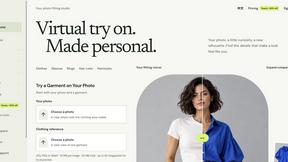
VirtualTryOn
Try on clothes, glasses, rings, hairstyles, and hair colors on your own photos with AI.
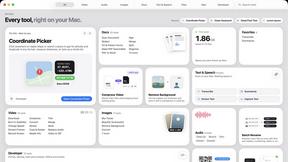
Toolbox
96 private Mac tools in one app: compress video, sign PDFs, remove backgrounds, transcribe. Offline, no account, pay once.

RemoveObjectFromPhoto
Remove unwanted objects, people, and text from photos with AI for clean, natural-looking results in seconds.
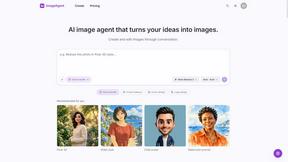
ImageAgent
Create and edit AI images through conversation, using text or reference images and refining results in chat.

AppIconGenerator
Generate iOS and Android app icons from any image and export all platform sizes for free.
AiAgeFilter
Free AI age filter: upload an adult portrait, add 10-40 years, meet your older self. No app needed.
FreeCreate
Create AI images from text or reference photos and turn prompts or still images into short videos with FreeCreate. Start free—no account needed.
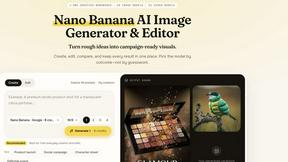
Nano AI
Create and edit AI images, generate videos, and compare models in one creative workbench.
Screen Issues
Free Online Screen Test Tool - Instantly diagnose dead pixels, lines, color issues, and flickering. Multiple test modes, no download needed.

Tip Toe AI
Upload a Dancer photo and a Partner photo and get your own AI Tip Toe barn-dance video. Free 5s preview, 12s HD from $4.90. No subscription.
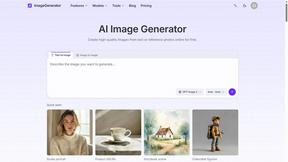
ImageGenerator
Create and edit AI images online with multiple models, text-to-image, image-to-image, background removal, and upscaling.
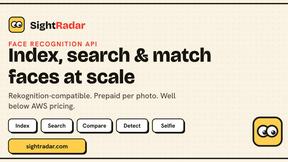
SightRadar
Face recognition API, a drop-in replacement for AWS Rekognition. Index, search, compare and detect faces, billed per photo with no subscription.
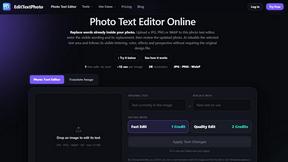
EditTextPhoto
AI-powered image text editor to edit, replace, fix, or translate text in images while preserving the original font, color, size, and style.
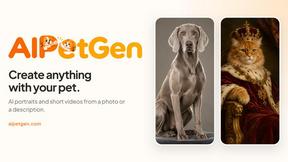


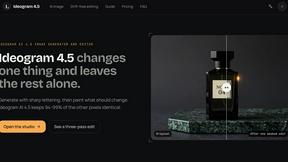
ideogram-45
AI image generation and editing with sharp typography, native 2K output, and localized edits that preserve the rest of your image.

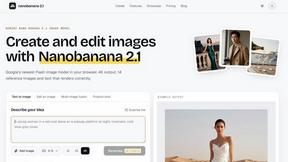
nanobanana 21
A fast, simple image studio powered by Nano Banana 2.1. Create and edit high-quality AI images with readable text and consistent characters.

qwenimage-21
AI image generation and editing with detailed prompts, reference images, portrait and typography refinement, and transparent RGBA output.
About RemoveTexts Alternatives
RemoveTexts is an innovative AI-powered tool designed to quickly and efficiently remove unwanted text from images, making it ideal for creators, marketers, and designers. This product falls within the image editing category, offering features that streamline the process of cleaning up visuals without the need for complex software like Photoshop. Users often seek alternatives to RemoveTexts for various reasons, including pricing considerations, specific feature sets, or compatibility with different platforms. When searching for an alternative, it's essential to evaluate aspects such as ease of use, the effectiveness of text removal technology, and the range of editing options available. Compatibility with multiple languages and the quality of output should also be key factors, as these elements significantly impact the overall user experience and satisfaction.
FAQs about RemoveTexts Alternatives
What is RemoveTexts?
RemoveTexts is an AI-powered tool that removes unwanted text from images quickly and effectively, allowing users to achieve clean results without the need for Photoshop.
Who is RemoveTexts for?
RemoveTexts is designed for creators, marketers, and designers who need to remove text elements such as watermarks, subtitles, and branded overlays from images.
Is RemoveTexts free?
RemoveTexts offers various pricing options, but it is not entirely free; users can explore different plans based on their specific needs.
What are the main features of RemoveTexts?
Key features of RemoveTexts include paint-to-remove functionality, auto removal of text, editing and replacing existing text, and the ability to remove unwanted objects or logos.