

Alternatives to Calm Your Inbox
Calm Your Inbox helps you reclaim control of your email with simple, manageable rituals for a clearer, more organized digital life.
20 alternatives found

JevModel
JevModel helps teams make structured AI decisions with Choice, Score, and Noul frameworks.
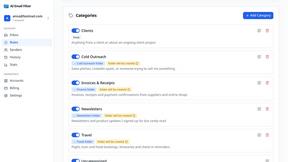
AI Email Filter
AI Email Filter sorts incoming mail into folders using plain-language prompts you write. Works with any IMAP mailbox; bring your own LLM if you want.
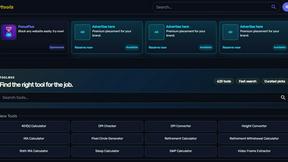
Kody Tools
Free collection of online developer utilities, code formatters, and digital converters designed to streamline your daily workflow.

JsonTranslate
Translate JSON, Markdown, and TXT while preserving keys, nested paths, and project structure.


tallycounterweb.com
Online tally counter for tracking attendance, workouts, inventory, visitors, sports scores, habits, and everyday counting tasks.


Forms Plugin
The #1 Native Form Builder Plugin for Framer - No Code, No Embeds, No External Platforms.

Product Launch Checklist
A free launch checklist for SaaS, apps, AI tools and more. Every step says why it matters and when you can skip it.


ContextBolt Bookmarks
Save web pages and posts from X, Reddit and LinkedIn in one searchable library, with automatic topic tags.

iHatePosting
Create once, tailor for each platform, and schedule posts across 14 social networks from one simple dashboard.
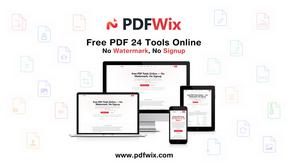
PDFWix
PDFWix is a free online PDF toolkit designed to make everyday PDF tasks simple, fast, and private.
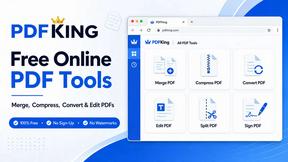
PDFKing
Free online PDF tools to merge, compress, convert, edit, sign, and manage documents—no signup, watermarks, or daily limits.

amaze.directory
A hand-checked directory of AI tools. Every listing was opened and used by a person before it went in, pricing is printed on the card, and nothing can


benchmark.directory
An independent directory of 146 AI tools. Every listing was paid for, set up and used on real work. Nobody can buy a place or a score.

saasgrow.ai
Acquisition, analytics, automation, outreach, retention — screened SaaS growth tools, organised by the job to be done.


Tools Network
Tools Network is a curated directory of the best AI tools across 25+ categories. Compare ratings, pricing, and features to find the right one, fast.
About Calm Your Inbox Alternatives
Calm Your Inbox is a productivity and management tool designed to help users regain control over their email without feeling overwhelmed. This innovative solution addresses the common struggle of inbox inertia, offering a unique approach that encourages starting small and simplifying decision-making. By focusing on just five key senders at a time, users can quickly eliminate unnecessary emails through straightforward follow-up or decision-making processes. Users often seek alternatives to Calm Your Inbox for various reasons, such as pricing concerns, specific feature sets, or compatibility with different platforms. When evaluating alternatives, it’s important to consider how well a product aligns with your personal workflow, the ease of implementation, and the level of support available. Look for solutions that prioritize user experience and provide a clear path to achieving inbox management goals without adding complexity to your daily routine.
FAQs about Calm Your Inbox Alternatives
What is Calm Your Inbox?
Calm Your Inbox is a streamlined productivity tool that helps users organize their email inboxes without the stress and overwhelm that often accompany email management. It focuses on simplifying the process by allowing users to concentrate on just five senders at a time, facilitating quick decision-making about each email.
Who is Calm Your Inbox for?
Calm Your Inbox is designed for anyone who feels overwhelmed by their email and seeks an efficient way to regain control. It is particularly beneficial for busy professionals, entrepreneurs, and anyone managing a high volume of emails who wants to reduce decision fatigue and simplify their email management.
Is Calm Your Inbox free?
While the specific pricing structure for Calm Your Inbox may vary, it typically offers various plans to accommodate different user needs. Users can often find options that fit their budgets, allowing them to choose a level of service that aligns with their email management goals.
What are the main features of Calm Your Inbox?
The main features of Calm Your Inbox include a focus on five key senders at a time, which helps users tackle their inboxes effectively. It emphasizes minimal decision-making by allowing users to make one simple choice for each sender—either to follow up or move on—thus clearing out numerous emails quickly and efficiently.